AK-PC 551 Technical brochure RC8CF102 © Danfoss 08-2014 17
Example: Check I/O wiring
Initialize the controllers IO conguration
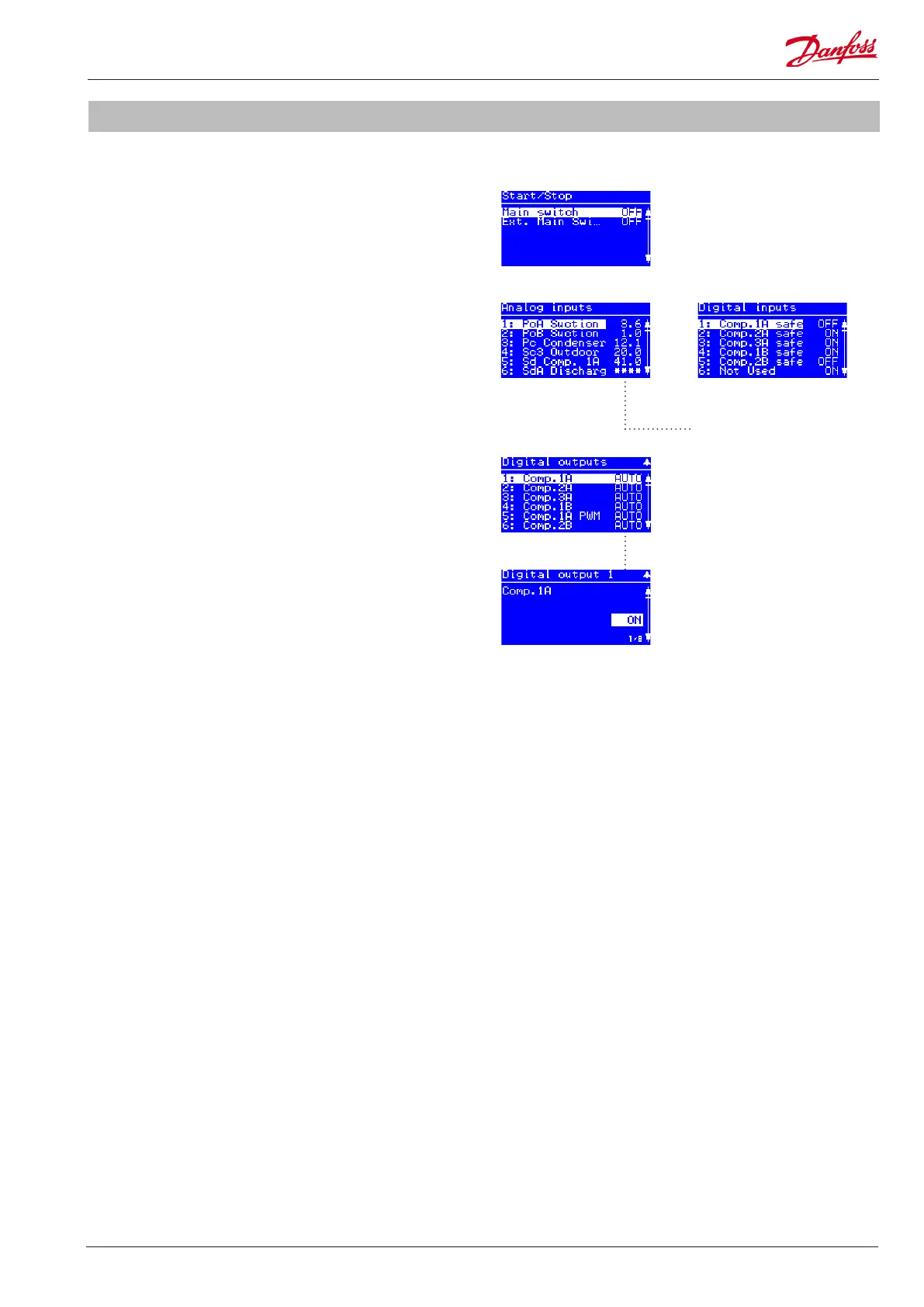
1. Set main switch in ON position
Go to Main menu -> Start/Stop
Set main switch ON
2. Check correct reading of inputs and outputs in the IO status
menus
Go to Main menu -> IO Conguration -> Analog/Digital inputs
Check correct status of all inputs�
3. Check correct wiring of the outputs via the IO manual
control menus
Go to Main menu -> IO Conguration -> Analog/Digital outputs
Check correct electrical wiring by manually overriding the
outputs�
Analog inputs Digital inputs
Digital output 1 ON
Digital outputs
Main switch menu
The stars "****" indicates that
sensor error is detected or not
intialized (main switch ON).


 To Next Page
 Loading...