2.6 Safety Lock
The safety lock is used for preventing undesirable changes
to the thermostat settings, i.e. all buttons will be locked un-
til the safety lock is turned off again.
How to turn the safety lock on and off
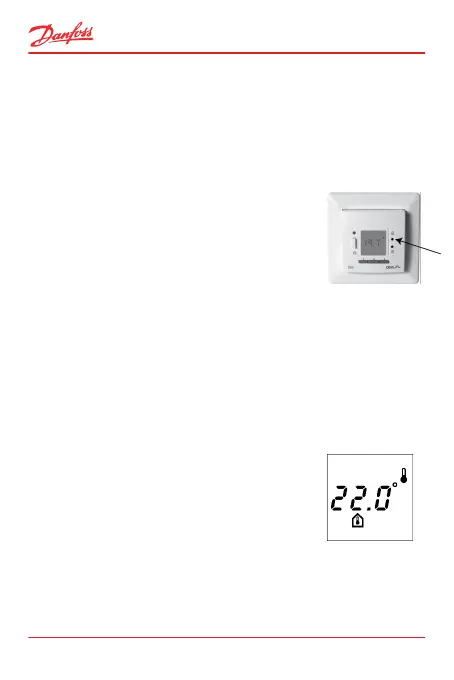
1. Press the lock pinhole with a small
screw driver, pencil, or needle.
If the safety lock was turned off, it will
now be turned on and vice versa.
When turned on, a lock symbol ap-
pears on the thermostat display.
2.7 Switching Between Floor and Room Tempera-
ture
How to display the room temperature
Note: This option only applies if the thermostat is config-
ured to use a floor sensor only.
1. Press ▲ and ▼ at the same time for 2
seconds.
The room sensor symbol is now dis-
played.
To return to the default display, press ▲ and ▼ again.
ECtemp 535
16 User Guide



 To Next Page