
 Need help?
Do you have a question about the Danfoss FP715Si and is the answer not in the manual?
Explains the FP715 Si's ability to control heating and hot water independently and its automatic time change features.
Details the default operating times for heating and hot water for weekdays and weekends.
Guide to toggling between 24-hour and AM/PM display formats for the programmer.
Instructions for setting the current date and time on the FP715 Si programmer.
Guide to programming heating times for weekdays and weekends separately (5/2 day mode).
Instructions for setting different heating schedules for each day of the week (7 day mode).
Steps for setting a single heating schedule that applies to all days of the week (24 hour mode).
Details the '+1HR' and 'MAN' buttons for temporary adjustments to heating and hot water schedules.
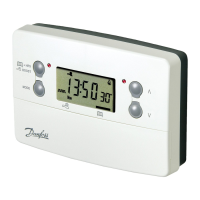
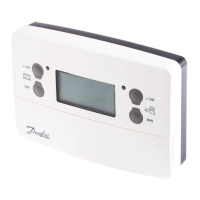
The Danfoss FP715Si is an electronic 2-channel full programmer designed to manage both central heating and domestic hot water systems. This device allows users to set specific "On" and "Off" time periods for each system independently, offering flexibility to suit various lifestyles and energy-saving preferences. The programmer comes with pre-set operating times, which can be customized by the user.
The core function of the FP715Si is to provide timed control over heating and hot water. It operates as a sophisticated timer, enabling users to schedule up to three "On" and "Off" periods per day for each channel. This independent control means that hot water can be programmed to come on at different times than the heating, or vice versa, optimizing comfort and energy consumption.
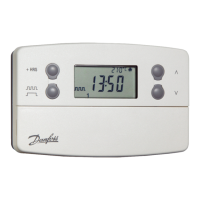
The programmer is designed to be user-friendly, with a clear digital display that shows the current time, day, and the status of the heating and hot water systems (e.g., ON, OFF, AUTO, ALLDAY). It also features automatic adjustment for Greenwich Mean Time (GMT) and British Summer Time (BST) changes, eliminating the need for manual seasonal clock adjustments, provided this feature has been enabled by the installer.
The FP715Si supports different programming modes, which are typically set by the installer:
The programmer also includes a "Service Interval Timer" feature, primarily for properties owned by landlords. This function is a gas safety feature that, if set, provides visual and audible warnings to remind occupants and landlords about upcoming boiler service due dates. It can also restrict heating and hot water operation if the service is overdue, ensuring safety compliance.
The FP715Si offers several features to enhance its usability and adaptability to changing needs:
Setting the Date and Time: While the unit is typically pre-set at the factory, users can adjust the year, month, and day if the settings are lost. The time can be set in 10-minute increments. The day of the week is automatically determined once the date is set.
24hr or AM/PM Display Choice: Users can toggle between a 24-hour clock display and an AM/PM display, depending on their preference, by pressing and holding specific buttons.
Temporary Override Buttons: The FP715Si includes dedicated buttons for temporary adjustments without altering the main programme:
Holiday Programme: This feature allows users to set a return date for their heating system. When activated, the heating will remain off during the holiday period and automatically resume its normal programme on the specified return date. This helps save energy while away and ensures a warm welcome home.
The FP715Si is designed for minimal user maintenance, focusing on reliability and ease of use.
Service Interval Timer (Installer/Landlord Feature): As mentioned, this is a safety and maintenance reminder feature. While primarily for the installer or landlord, it indirectly serves as a maintenance feature by prompting timely boiler servicing. The service due date can be viewed by the user in "RUN" mode by pressing and holding the "COPY" button. If the service is not performed, the unit will provide audible warnings and may limit heating/hot water operation, emphasizing the importance of regular maintenance.
Fault Check List: The user guide provides a comprehensive "Fault Check List" to help users diagnose common issues related to "No Hot Water" or "No Heating." This list guides users through a series of checks, such as verifying the programmer settings, checking red indicator lights, thermostat settings, boiler status, and reset buttons. This self-help guide empowers users to troubleshoot minor problems before needing to contact a heating engineer, potentially saving time and service call costs.
The FP715Si is a robust and versatile programmer that combines essential timing functions with user-friendly overrides and maintenance-oriented features, making it a practical choice for managing home heating and hot water.
 General
| Power Supply | 230V AC, 50Hz |
|---|---|
| Temperature Range | 5°C to 30°C |
| Display | LCD |
| Mounting | Wall-mounted |
| Contact Current Rating | 3(1)A |
| Number of Channels | 1 |
| Accuracy | ±0.5°C |
| Protection Class | IP30 |
| Program | 7-day |
| Switching Differential | 0.5°C |
| Ambient Temperature | 0°C to 40°C |

 To Next Page
