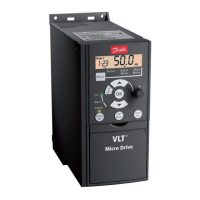
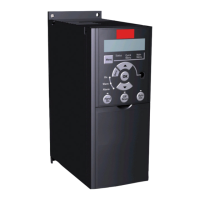
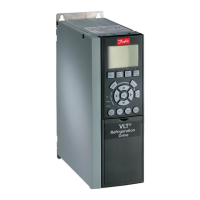
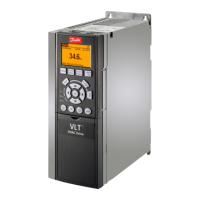
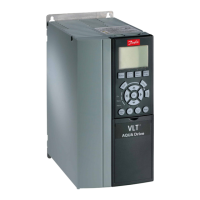
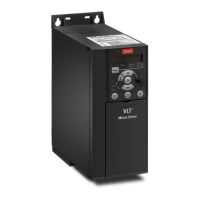
Operation Keys:
A yellow light above the operation keys indicates the active key.
[Hand on]: Starts the motor and enables control of the frequency converter via the LCP.
[Off/Reset]: Stops the motor (off). If in alarm mode the alarm will be reset.
[Auto on]: The frequency converter is controlled either via control terminals or serial communication.
[Potentiometer] (LCP12): The potentiometer works in two ways depending on the mode in which the frequency
converter is running.
In
Auto Mode
the potentiometer acts as an extra programmable analog input.
In
Hand on Mode
the potentiometer controls local reference.
Arrows [
▲
] and [
▼
] toggles between the choices in each menu.
The display indicates the status mode with a small arrow above “Status”.
The Quick Menu gives easy access to the most frequently used parameters.
1. To enter the Quick Menu, press [MENU] key until indicator in display is placed above
Quick Menu
.
2.
Use [
▲
] [
▼
] to select either QM1 or QM2, then press [OK].
3.
Use [
▲
] [
▼
] to browse through the parameters in the Quick Menu.
4. Press [OK] to select a parameter.
5.
Use [
▲
] [
▼
] to change the value of a parameter setting.
6. Press [OK] to accept the change.
7. To exit, press either [Back] twice to enter
Status
, or press [Menu] once to enter
Main Menu
.
No Name Range Default Function
1-20 Motor Power [kW]/[HP] [0.09kW/0.12HP -30kW/40HP] Unit dependent Enter motor power from nameplate data
1-22 Motor Voltage [50 - 999V] 230/400 Enter motor voltage from nameplate data
1-23 Motor Frequency [20 - 400 Hz] 50 Enter motor frequency form nameplate data
1-24 Motor Current [0.01 - 100.00 A] Unit dependent Enter motor current from nameplate data
1-25 Motor nominal speed [100 - 9999 RPM] Unit dependent Enter motor nominal speed from nameplate data
1-29 Automatic Motor Tuning
(AMT)
[0] = off
[2] = Enable AMT
[0] = off Use AMT to optimize motor performance.
1. Stop VLT
2. Choose [2]
3. "Hand On"
3-02 Minimum reference [-4999 - 4999] 0 Enter value for minimum reference
3-03 Maximum reference [-4999 - 4999] 50.00 Enter value for maximum reference
3-41 Ramp up time 1 [0.05 - 3600s]
3.00 (10.00
1)
)
Ramp up time from 0 to rated motor frequency par. 1-23
3-42 Ramp down time 1 [0.05 - 3600s]
3.00 (10.00
1)
)
Ramp down time form rated motor frequency par. 1-23
to 0
1)
M4 and M5 only
Table 1.5: Basic Settings Quick Menu 1
The Main Menu gives access to all parameters.
1. To enter the Main Menu, press [MENU] key until indicator in display is placed above
Main Menu
.
2.
Use [
▲
] [
▼
] to browse through the parameter groups.
3. Press [OK] to select a parameter group.
4.
Use [
▲
] [
▼
] to browse through the parameters in the specific group.
5. Press [OK] to select the parameter.
6.
Use [
▲
] [
▼
] to set/change the parameter value.
7. Press [OK] to accept the value.
8. To exit, press either [Back] twice to enter
Quick Menu
, or press [Menu] once to enter
Status
.
Quick Guide for VLT Micro FC 51 1 Quick Guide
MG.02.B5.02 - VLT
®
is a registered Danfoss trademark
9
1


 To Next Page
 Loading...