STXC2 User’s guide
Version 2.0
11 of 30
2.4 Filter configuration.
It is necessary to run the filter test program at a specific air volume (”filter check value”) to enable
& set the filter failure (dirty filter) alarm. It is only possible to get an alarm at the specific air
volume. The filter test is made by the following procedure:
1. The ventilation unit is turned off. The function switch is in position OFF.
2. The push button 0 is activated on the MMI STCU.
3. Choose a maximum air volume [m³/h].
Choose an acceptable differential pressure loss for the filter(difference between clean and
dirty filter).
Dantherm Air Handling recommends a differential pressure loss of 60 Pa.
The function switch on the ventilation unit is now turned to position AUTO.
In the following example a ”filter check value” at 2500m3h is used. This is the air volume
setting used in the week program (See chapter 2.6 Setting a week program).
Use the push button to select the data point Start filtertest and press ENTER.
The control system accelerates the fan motors up to the selected ”filter check value”.
350 seconds after the fan motors are accelerated up to their maximum speed they run for
further 50 seconds. Data for the ventilation unit is set.
The time left for the filter test is show on the display.
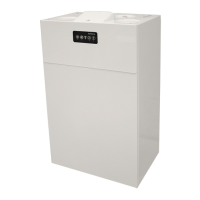
Filter configuration
Check at m3h 02500
Accepted d/Pa 0060
Start filtertest ENTER
Technical data
Main menu Monday 12:21
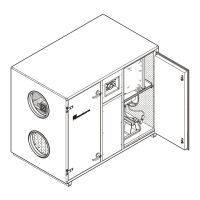
Filter configuration
Check at m3h 02500
Accepted d/Pa 0060
Start filtertest ENTER
Technical data
Main menu Monday 12:21
Measuring wait sec. 400


 To Next Page