12
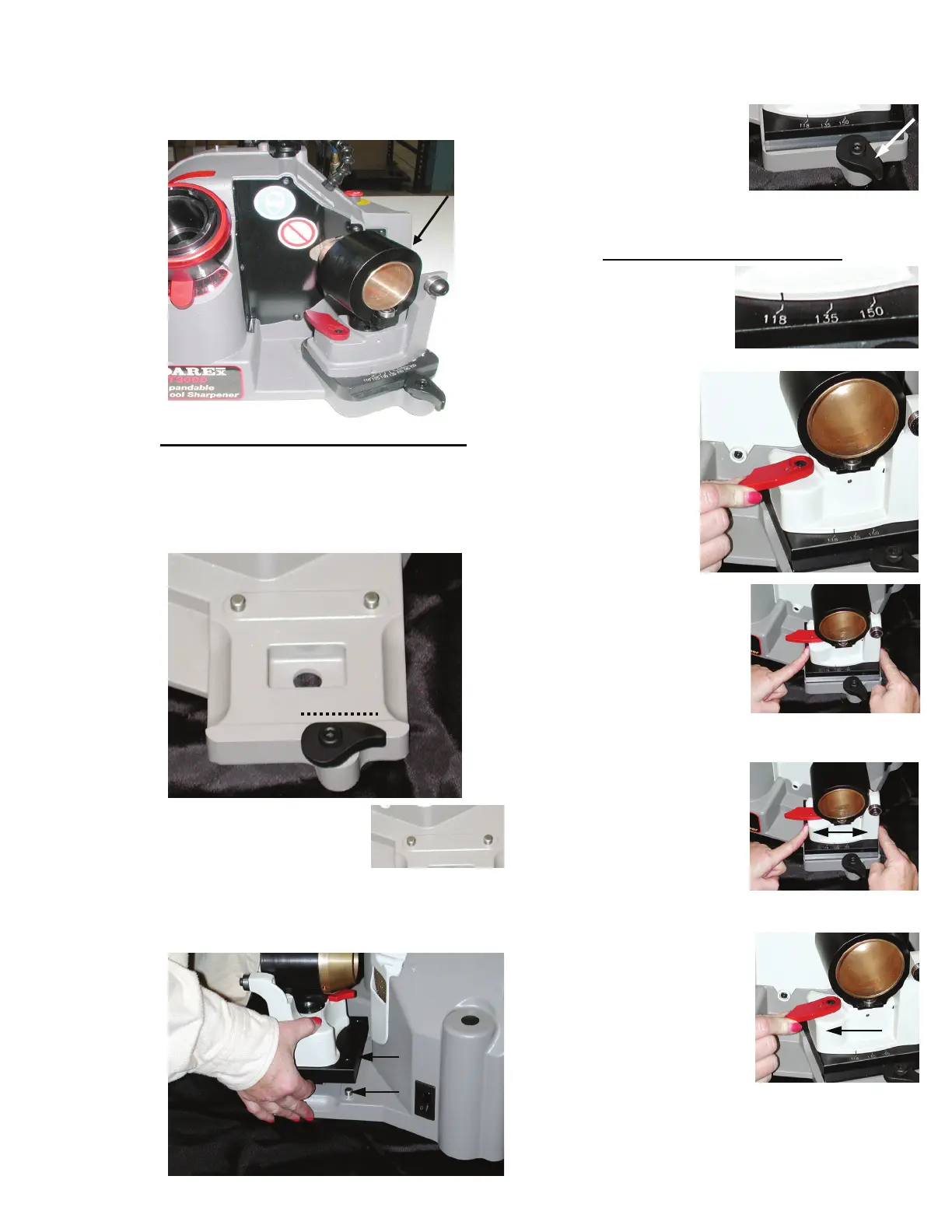
The Sharpening fixture is located on the right
side of the machine.
Mounting the Sharpening fixture
1. Rotate the locking lever so the flat edge is at
the top, horizontal and in a straight line with
the base casting.
2. Position the sharpening
fixture so that the 2
location holes on the
base of the alignment fixture are aligned
with the 3/8 dowel pins.
3. After sharpening
fixture is in place,
rotate the locking
lever clockwise until
snug. This will secure
the fixture to the base.
Adjusting the Point Angle
You must loosen the
sharpening fixture and
slide the point angle
indicator to the desired
degree.
1. To loosen, pull
the locking
lever towards
you.
2. Place fingers on each
side of the sharpening
pivot base casting.
3. Gently slide base
casting in either
direction to align
the angle
indicator with the
desired point angle
degree.
4. Secure the selected
point angle position by
pushing the locking
lever away from you
until it stops.
5. Before sharpening, make sure the sharpening
fixture is secure and no longer slides in either
direction.
Drill Sharpening


 To Next Page