I N S T A L L A T I O N M A N U A L H 5 0 0 0 H Y B R I D I N V E R T E R
R e v . 2 © 2 0 1 7 D a r f o n E l e c t r o n i c s C o r p . 22 | P a g e
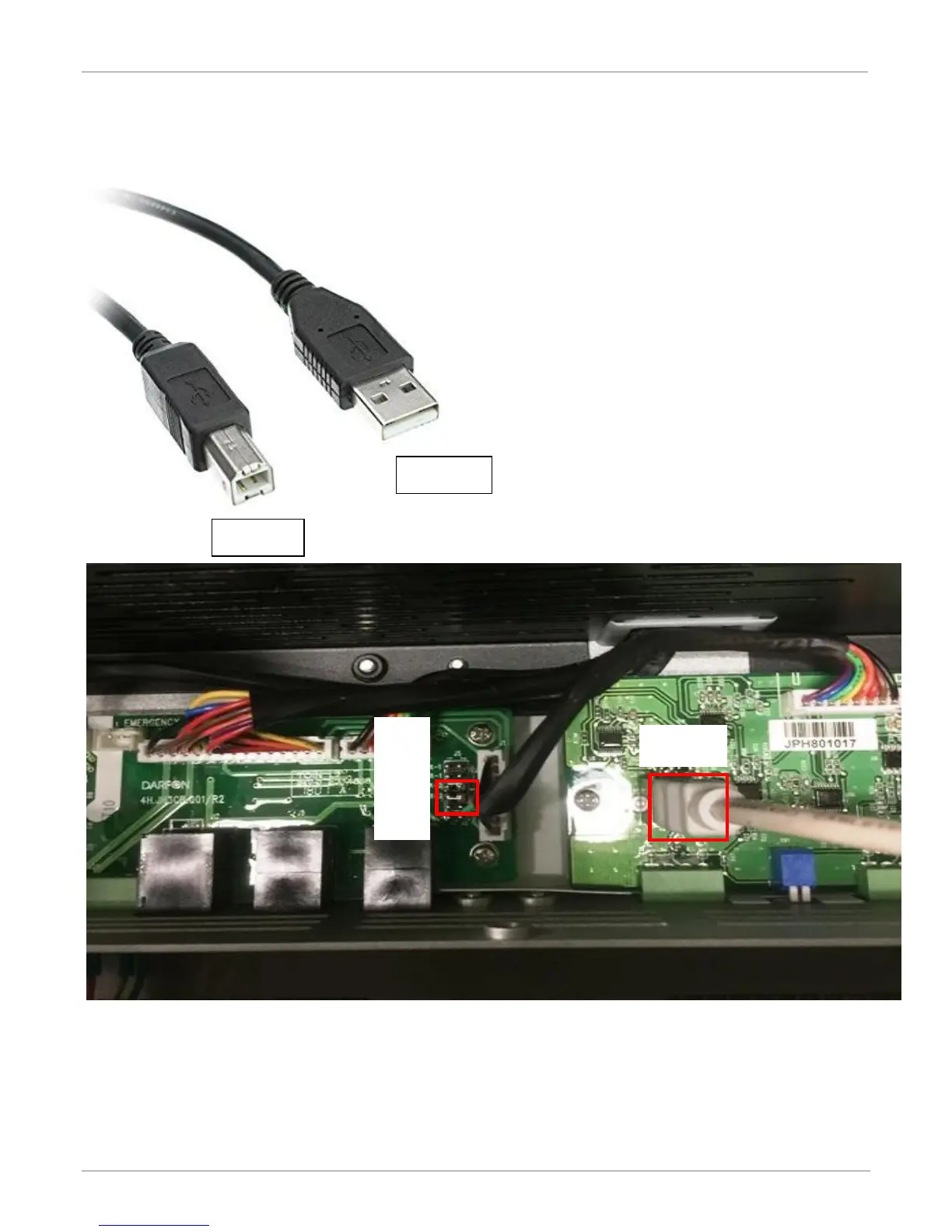
Step 2: Please use the USB wires (Type-A <->Type-B) and plug in the USB Type-B connector to the USB
port, another side (Type A) connecting to the computer.
Step 3: Please make sure the jumper pins on Tx-2 and Rx-2.
Step 4: The H5000 hybrid inverter need to connect the power, either choices PV, Battery or Grid.
Then use the application software setting your parameters.



 To Next Page