I N S T A L L A T I O N M A N U A L H 5 0 0 0 H Y B R I D I N V E R T E R
R e v . 2 © 2 0 1 7 D a r f o n E l e c t r o n i c s C o r p . 15 | P a g e
Warning and Fault Definition
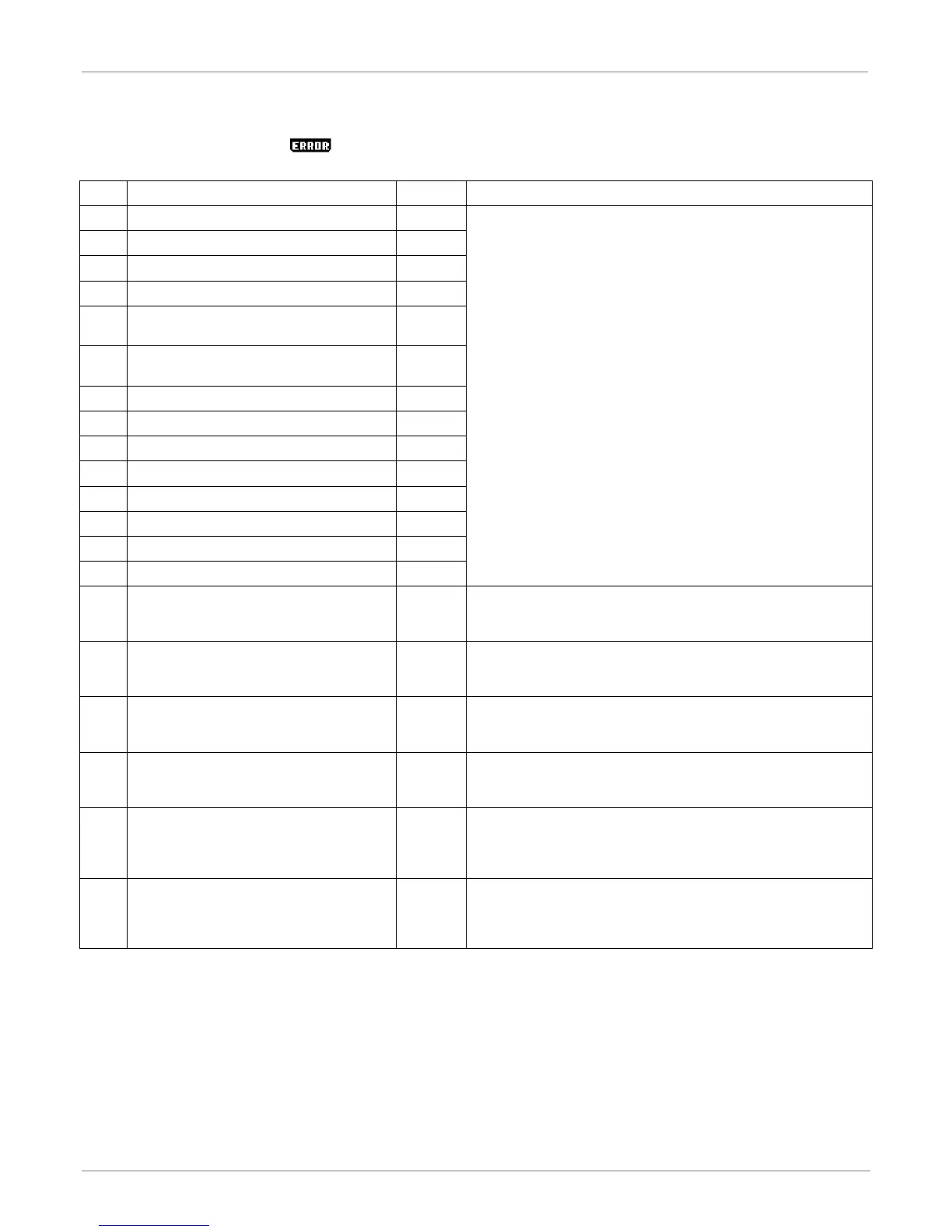
On the Power Flows Page, the icon will flash when an error has occurred. Listed below are the error codes and
their solutions.
DC bus voltage exceeds the upper threshold
1. Shut down the system completely.
2. Restart the system to see if it’s ok.
3. If error message still remains, please contact your installer.
DC bus voltage falls below the lower threshold
An relay fault event is detected
Battery discharging current exceeds the upper
threshold
Battery charging current exceeds the upper
threshold
Short circuit on PV1 input
Short circuit on PV2 input
Short circuit on inverter output
DC/DC OP Current Sensor fault
Inverter OP Current Sensor fault
PV OP Current Sensor fault
1. The internal temperature is higher than specified temperature.
2. Leave system to be cooled to room temperature.
3. If the error message still remains, please contact your installer.
PV input voltage exceeds the upper threshold
1. Check if the open circuit voltage of PV modules is higher than 500VDC.
2. If PV open circuit voltage is less than 500VDC and the error message
remains, pelase contact your installer.
Auxiliary power* failed
*Auxiliary power means switch power supply.
1. Turn off the system.
2. Then, restart the system.
3. If the error message still remains, please contact your installer.
PV insulation resistance is too low
1. Check if the impedance between positive and negative poles to the
ground is greater than 1MΩ.
2. If the impedance is lower than 1MΩ, please contact your installer.
Charging voltage is too high
1. Check if the connection between battery and inverter is well.
2. Make sure battery condition is ok.
3. Then, restart the inverter.
4. If error message remains, please contact your installer.
1. Please check if fans are runing ok.
2. If fans are runing ok, please shut down inverter first and then, restart it.
3. If fans are stop runing or error message remains after restart the
inverter, please contact your installer.



 To Next Page