I N S T A L L A T I O N M A N U A L H 5 0 0 0 H Y B R I D I N V E R T E R
R e v . 2 © 2 0 1 7 D a r f o n E l e c t r o n i c s C o r p . 25 | P a g e
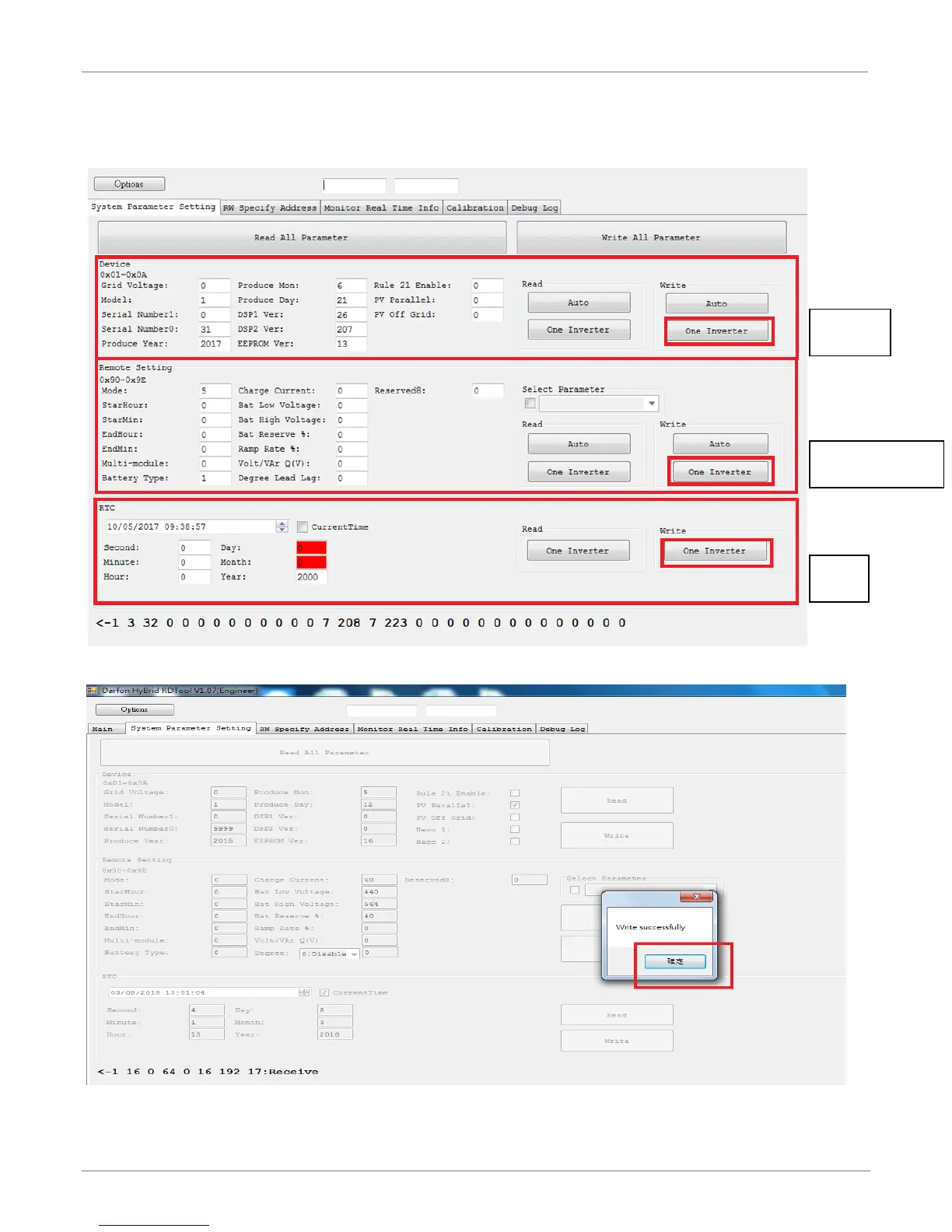
Step5: Modifies parameters.
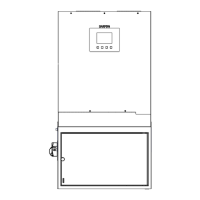
Step6: Click “one Inverter”, every group has its write one inverter button.
Step7: Click “確定”, it means ok if “Write successfully”
Step8: Click “Read All Parameter” and please make sure the parameters are modified correctly.



 To Next Page