I N S T A L L A T I O N M A N U A L H 5 0 0 0 H Y B R I D I N V E R T E R
R e v . 2 © 2 0 1 7 D a r f o n E l e c t r o n i c s C o r p . 6 | P a g e
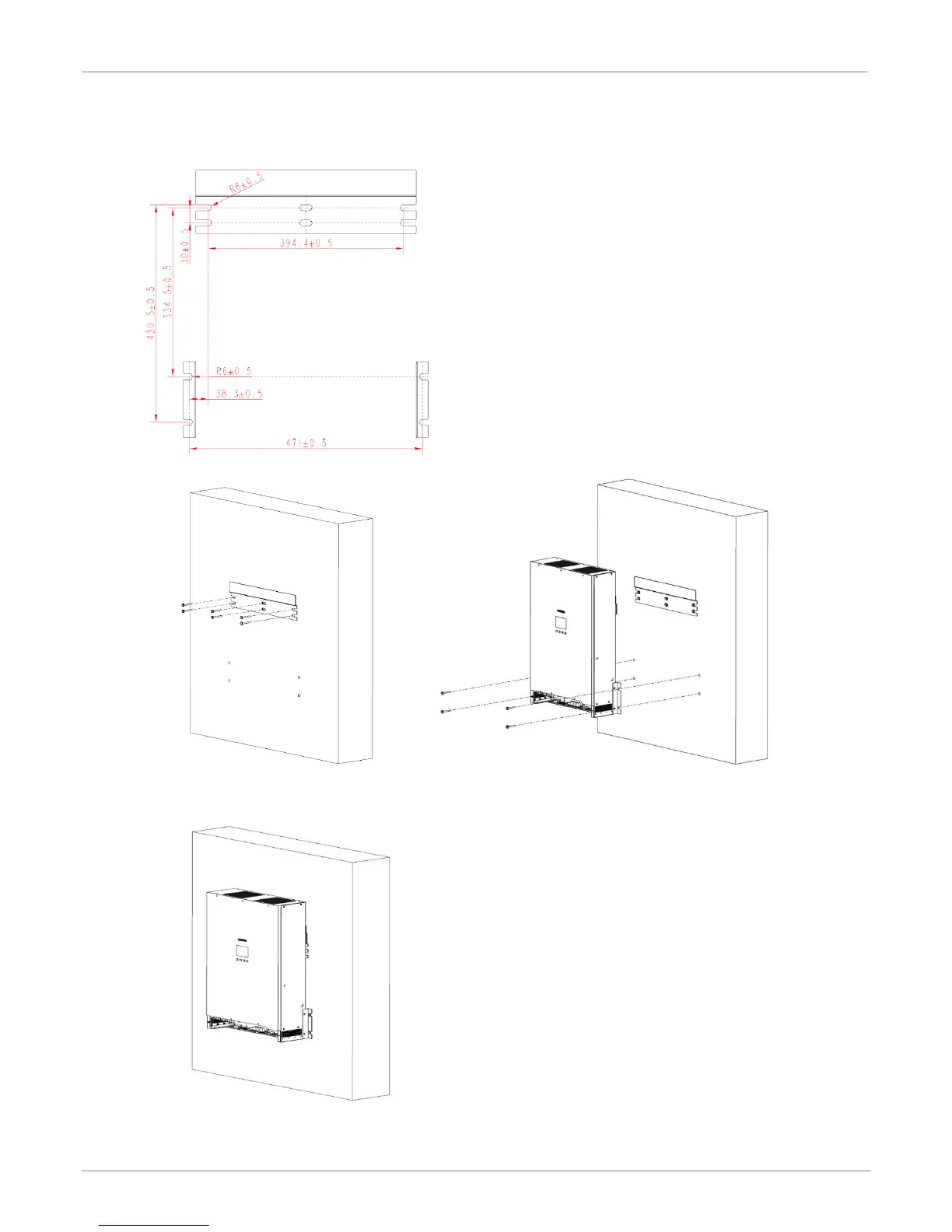
Step 3. Using the mounting bracket as a template
and install anchors as needed.
Step 4. Install the mounting bracket onto the wall.
Step 5. Hang the unit onto the mounting bracket
and secure it with two screws on each
side.



 To Next Page