28 Installing the Printer Driver
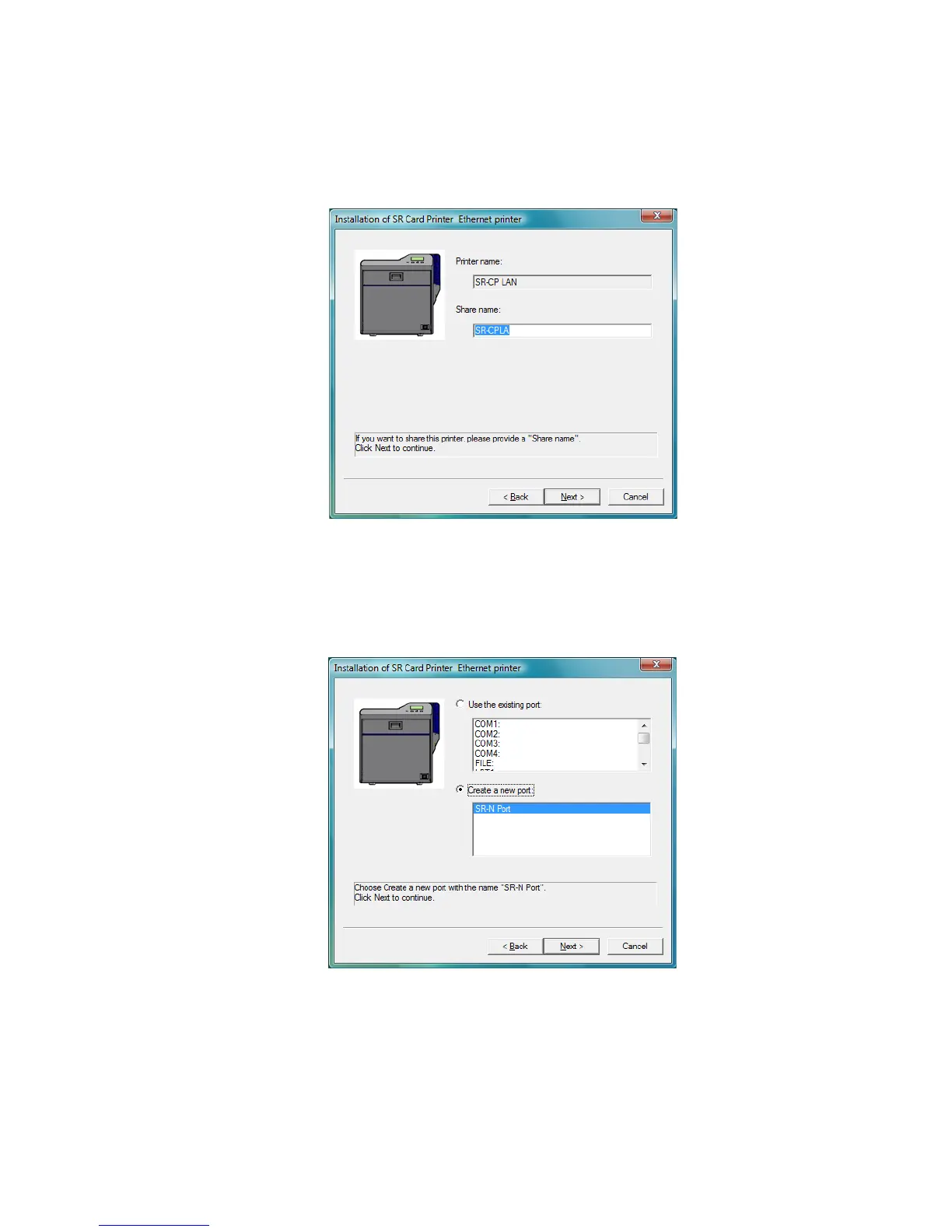
16. The printer is installed with sharing enabled by default. Use the default name or
enter a “Share name” if needed, and then click Next. The Share name cannot
contain any spaces.
if
• Sharing can be disabled after the driver is installed, if needed.
• To share the printer, see “Sharing a Printer on a Network Connection” on
page 36.
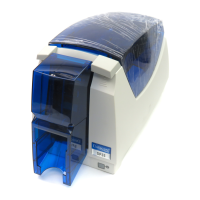
17. Choose Create a new port: and then click Next.


 To Next Page