EasyManua.ls Logo

Datalogic DX8200 - User Manual

Datalogic DX8200
15 pages
Print Icon
To Next Page IconTo Next Page
Loading...
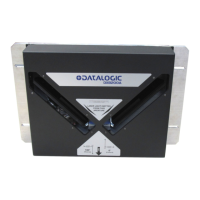
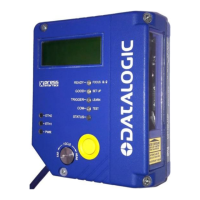
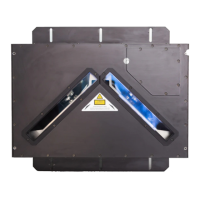
DX8200 Controller
Quick Reference Guide
Figure A
Figure B
Control Panel
Product Label
Laser Output Windows
Mounting Rails
Laser Warning Label 1
2
3
4
5
Figure C
Host Interface Connector
Reserved Connector
Lonworks Network Connector
RS232 Debug Connector
Ethernet connector
Power ON LED
Presence Sensor LED (N.A.)
Encoder LED
Good Read LED
TX Data LED
Network LED
1
5
6
7
8
9
10
11
2
3
4
VAC Power Panel (for VAC models only)
Fuses, Power Switch, Power Connector,
12
NOTE
For further details on product installation, see the complete Reference Manual. The DX8200
Controller can be configured through the Windows-based Genius™ software program available
on the CD-ROM included with this product.
10
2
1
7
8
9
1
2
3
4
5
6
11
12
4
5
3

Questions and Answers

Overview

The Datalogic DX8200 Controller is a sophisticated device designed for industrial barcode reading applications, acting as a master unit in a Lonworks network of slave scanners. This quick reference guide provides essential information for its installation, operation, and maintenance.

Function Description

The DX8200 Controller serves as the central processing unit in a barcode scanning system. It interprets data received from multiple slave scanners and performs barcode assignment to parcels, particularly utilizing its proprietary PackTrack™ operating mode. This functionality is crucial for high-speed sorting and identification systems in logistics and manufacturing. External devices such as presence sensors and encoders are connected directly to the DX8200 Controller, which then interfaces with a Host PC for data management and system control.

Important Technical Specifications

The DX8200 Controller comes in different models, denoted by X0X0 and X0X1, primarily differing in their power supply requirements.

  • Model Description: DX8200 Controller - X0XX, where the last two digits denote laser number (2 for double, 3 for triple laser), power supply (0 for VDC, 1 for VAC), and optical resolution (0 for standard, 1 for high resolution).
  • Electrical Features:
    • Supply Voltage:
      • Models X0X1: 85-264 VAC
      • Models X0X0: 20-30 VDC
    • Current Consumption (maximum):
      • Models X0X1: 0.4-0.2 A
      • Models X0X0: 1.5-1.0 A
    • Power Supply for DX8200 Controller-X0X0 models: Between 20 and 30 VDC, supplied to the Lonworks Network connector.
    • Power Supply for DX8200 Controller-X0X1 models: Between 85 and 264 VAC, supplied through the VAC power cable.
  • Communication Interfaces:
    • Main (isolated): RS232, RS485 full-duplex, RS485 half-duplex, 20 mA C.L. (INT-60). Baud rates from 1200 to 115200 for RS232 and 19200 for 20 mA C.L.
    • Auxiliary: RS232, Lonworks network (1.25 Mb/s).
    • Inputs: External Trigger, Encoder, 2 auxiliary digital inputs (optocoupled NPN or PNP). Maximum voltage 30 V, maximum current 10 mA.
    • Outputs: 3 software programmable digital outputs (optocoupled open emitter, open collector).
      • OUT3 electrical features: Collector-Emitter voltage ± 100 V max., Collector current 240 mA pulse max / 160 mA continuous max, Ron 6-15 Ω, R off > 500 Ω, Off-state leakage current < 1 μA, Maximum power dissipation 550 mW at 50°C.
      • OUT1 / OUT2 electrical features: Collector-Emitter voltage 30 V max., Collector current max 130 mA pulse max / 40 mA continuous max, Saturation voltage (VCE) 1 V at 10 mA max, Maximum power dissipation 90 mW at 50°C.
  • Optical Features:
    • Light Source: Up to 3 VLDs (Visible Laser Diodes).
    • Wavelength: 630 to 680 nm.
    • Safety Class: Class 2 (EN 60825-1); Class II (CDRH). The laser diodes are classified as Class 3B laser products (EN 60825-1) and Class IIIb laser products (CDRH).
    • Light Receiver: Avalanche photodiode.
    • Laser Control: Security system to turn laser off in case of motor slow down. A safety device ensures the laser activates only when the motor reaches the correct rotational speed.
  • Reading Features:
    • Scan Rate: 500-1000 scans/s.
  • Software Features:
    • Readable Code Symbologies: Interleaved 2/5, Code 39 standard, Codabar, Code 128/EAN 128, Code 93 (standard & full ASCII), EAN/UPC.
    • Code Selection: Up to 10 codes during one reading phase.
    • Headers and Terminators: Up to 128-byte headers and 128-byte terminators.
    • Operating Modes: Pack-Track™.
    • Config. Mode: Genius™ utility program (Windows-based software).
    • Parameter Storage: Non-volatile internal FLASH.
  • User Interface:
    • LED Indicators: Power ON, Encoder, Good Read, TX Data, Network (Lonworks).
  • Environmental Features:
    • Operating Temperature: 0° to +50 °C (+32 to +122 °F).
    • Storage Temperature: -20° to +70 °C (-4° to +158 °F).
    • Humidity: 90% non-condensing.
    • Vibration Resistance: EN 60068-2-6 test FC (1.5 mm @ 5 to 9.1 Hz; 0.5 G @ 9.1 to 150 Hz; 2 hours on each axis).
    • Shock Resistance: EN 60068-2-27 test EA (15 G; 11 ms; 3 shocks on each axis in each direction).
    • Protection Class: IP54.
  • Physical Features:
    • Dimensions: 576 x 513 x 150 mm (22.7 x 20.2 x 5.9 in).
    • Weight: About 22 Kg (48.5 lbs.).

Usage Features

  • Connectivity: The DX8200 Controller acts as the Master in a Lonworks network, managing up to 5 slave scanners. The maximum allowable length for the entire bus cabling is 65 m. The last slave scanner requires a BTK-8000 termination connector.
  • Electrical Connections: The device is equipped with various connectors:
    • Host Interface Connector (male, 25 pins) for serial interface and I/O signals.
    • Ethernet Connector (RJ45) for Host interface.
    • Lonworks Network Connector (female, 17 pins) for connecting to slave scanners.
    • RS232 Debug Connector (female, 9 pins) for service only.
    • Reserved Connector (female, 9 pins).
  • Installation: Two mounting rails on the sides of the scanner facilitate mechanical installation.
  • Configuration: The DX8200 Controller can be configured using the Windows-based Genius™ software program, provided on a CD-ROM with the product.
  • Laser Safety: Users must avoid staring directly into the laser beam and ensure it does not hit an observer's eye, even through reflective surfaces. Disconnecting the power supply when opening the device is crucial to avoid exposure to hazardous laser light.
  • Power-up: During power-up, there is a current peak of about 3A due to motor startup. The laser beam is generated after a slight delay once the motor reaches the correct rotational speed.
  • Reading Conditions: The manual provides tables detailing minimum code height for omnidirectional reading based on conveyor speed and code resolution for various symbologies (2/5 Interleaved, Code 39, Code 128-Ean 128, Codabar, EAN 8-13, UPC-A). Reading diagrams illustrate the relative position of the scanner to the conveyor and define the reading area for different scanner models and code densities.

Maintenance Features

  • Fuse Replacement: For AC models, the device is protected by fuses. When replacing fuses, it is essential to use correct value fuses as specified in the Reference Manual.
  • Service Connector: An RS232 Debug Connector is provided for service purposes only.
  • Reference Manual: For detailed information on installation, maintenance, and other aspects, users should refer to the complete Reference Manual.

Datalogic DX8200 Specifications

General IconGeneral
BrandDatalogic
ModelDX8200
CategoryBarcode Reader
LanguageEnglish

Related product manuals