EasyManua.ls Logo

Datalogic DX8200A - User Manual

Datalogic DX8200A
18 pages
Print Icon
To Next Page IconTo Next Page
Loading...
DX8200A QUICK GUIDE
DX8200A
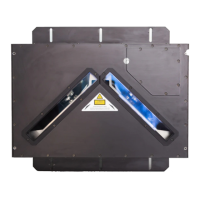
General View:
Figure A
Laser Beam Output Windows
1
Mounting Slots
2
Laser Safety Label
3
Mounting Reference Label
4
Figure B
Programming Keypad
1
Phase On LED (Yellow)
3
Power On LED (Green)
2
TX Data LED (Green)
5
Network LED (Red)
6
Encoder LED (Yellow)
4
LCD Display
7
Figure D
(VAC Models Only)
Line Fuses
1
Line Switch
2
Power Inlet
3
Cord Retaining Clamp
4
Standard
Ethernet
Profibus
DeviceNet
Figure C
Lonworks 17-pin Male Connector
1
Lonworks 17-pin Female Connector
2
Serial Interface and I/O 26-pin male Connector
3
Harting RJ Industrial® Modular female Connector
4
DeviceNet 5-pin male Connector
6
Profibus 9-pin female Connector
5
NOTE
For further details on product installation, see the complete Reference Manual available on the
configuration CD-ROM included with this product.
2
1
3
4
5
6
7
1
2 3
4 5 6
2
1
3
4
2
1
2
3
4

Other manuals for Datalogic DX8200A

Questions and Answers

Summary

Technical Features

ELECTRICAL FEATURES

Details on supply voltage, power consumption, and communication interfaces.

READING FEATURES

Scan rate, maximum resolution, and reading distance specifications.

Electrical Connections

26-pin D-Sub Connector Pinout

Pinout details for the 26-pin D-sub connector.

Main Interface Connector Pinout

Pinout for RS232, RS485, and 20mA interfaces.

17-pin Lonworks Connector Pinout

Pinout for the 17-pin Lonworks connectors (Male/Female).

Connectivity

Local Lonworks Networks

Common Features

User Interface

Laser Safety Compliance

Information on laser classification and safety precautions.

Power Supply Requirements

Datalogic DX8200A Specifications

General IconGeneral
Scan speed1000 sec/page
Sensor typeLaser
Dimensions (WxDxH)470 x 300 x 147 mm
Standard interfacesRS-232, RS-485
Power requirements30 VCD
Power consumption (standby)30 W
Keys quantity3 keys
Product colorBlack
LED indicatorsCharging, Power
Housing materialSteel
International Protection (IP) codeIP64
Storage temperature (T-T)-20 - 70 °C
Operating temperature (T-T)0 - 50 °C
Operating relative humidity (H-H)0 - 90 %
Weight and Dimensions IconWeight and Dimensions
Weight11000 g

Related product manuals