50 E-4203/E-4204/E-4304
Unacceptable print quality
Dirty printhead: Clean the printhead (see Chapter 5).
The temperature setting may be incorrect for the media being
used: Use the software program or DPL commands adjust the
Heat Setting and Print Speed.
A mismatched incorrect ribbon/media combination is being
used: Check the types being used.
Verify that the Media Type Switch is in the correct position
for the printing method being used (see Section 3.4).
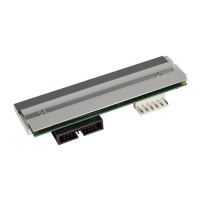
Faulty printhead: Replace it (see Chapter 5) or call for
service.
The printer does not print or prints several labels at once:
The labels are incorrectly loaded: See the loading
instructions on the inside cover of the printer or Chapter 3.
The media is not calibrated: Calibrate it (see Chapter 4).
If equipped, the Adjustable Media Sensor may need to be
repositioned (see Chapter 3).
The media sensor or sensor circuitry may be defective: Call
for service.
The ribbon does not advance
(The paper advances, but ribbon does not).
The ribbon may be installed incorrectly: Ensure that the
ribbon’s inked side faces the paper. With most ribbons this
can be verified by rubbing paper against the ribbon; the ink
should smudge the paper. Or, if using label stock, the sticky
side of a label will pull off the ink.
A mismatched ribbon/paper combination is resulting in an
insufficient amount of friction between paper and ribbon:
Ensure that the correct type of ribbon is being used with the
media.













 To Next Page