A26618-A
ENG
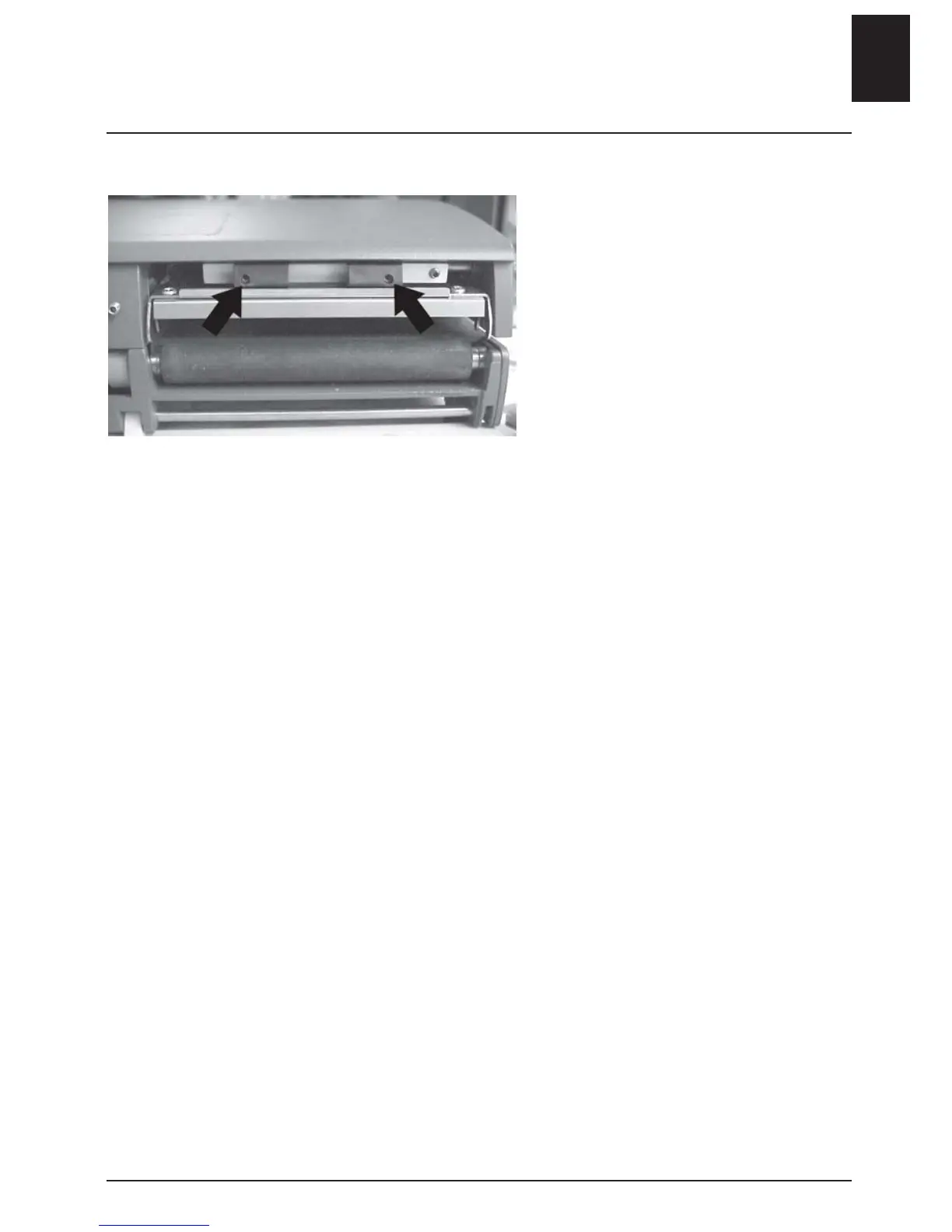
Adjusting the print head pressure
Adjusting the pressure of the
print head is necessary when
using different types of media,
e.g. labels, paper or tickets.
- Open the front cover.
- Turn the release lever to lift the
printhead.
Use a small flathead screwdriver and
turn the adjusting screws counter-
clockwise in order to increase the
pressure (about 0,5 - 1 turns).
For information on the printer’s
status:
Conduct a test print
- Load the media.
Use an approximately 110 mm
wide print width.
- Hold in the start button.
- Turn on the power switch.
A test print will occur
• Ensure that the printed pattern
is even across the entire width of
the print surface. Any secondary
adjustment should be made accord-
ing to instructions in the “Print
head adjustment” section.
- Exit test mode by shutting off the
power switch.
Print head adjustment
ENGLISH - 11












 To Next Page