A26618-A
ENG
Changing media
Base model
The printer stops automatically
when it is out of media.
This is indicated by an LED, the
status lamp will indicate red.
- Turn the release lever to lift the
printhead.
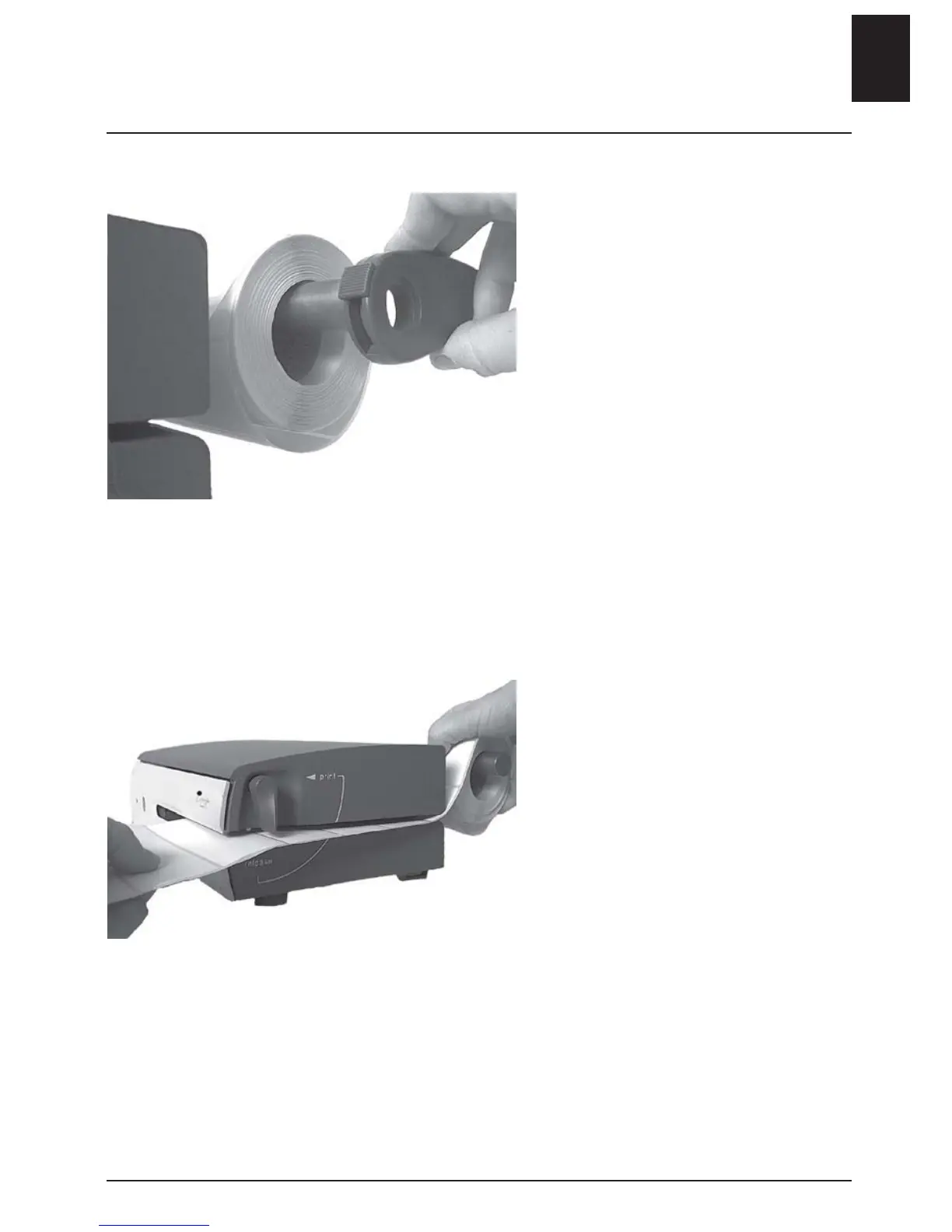
- Remove the roll guide and the
empty media spool if applicable.
- Insert a new roll of media, as far
to the left as possible.
- Insert the media roll from the
side.
- Position and lock the roll guide.
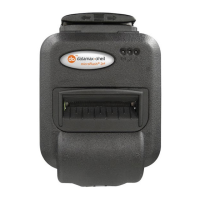
- Turn the release lever to PRINT.
- Close the front cover.
- Feed through a blank label.
- Press the start button in order to
find the correct media position.
The printer will automatically read
the position of the media so that
printing starts correctly.
ENGLISH - 5












 To Next Page