A26618-A
ENG
Connection
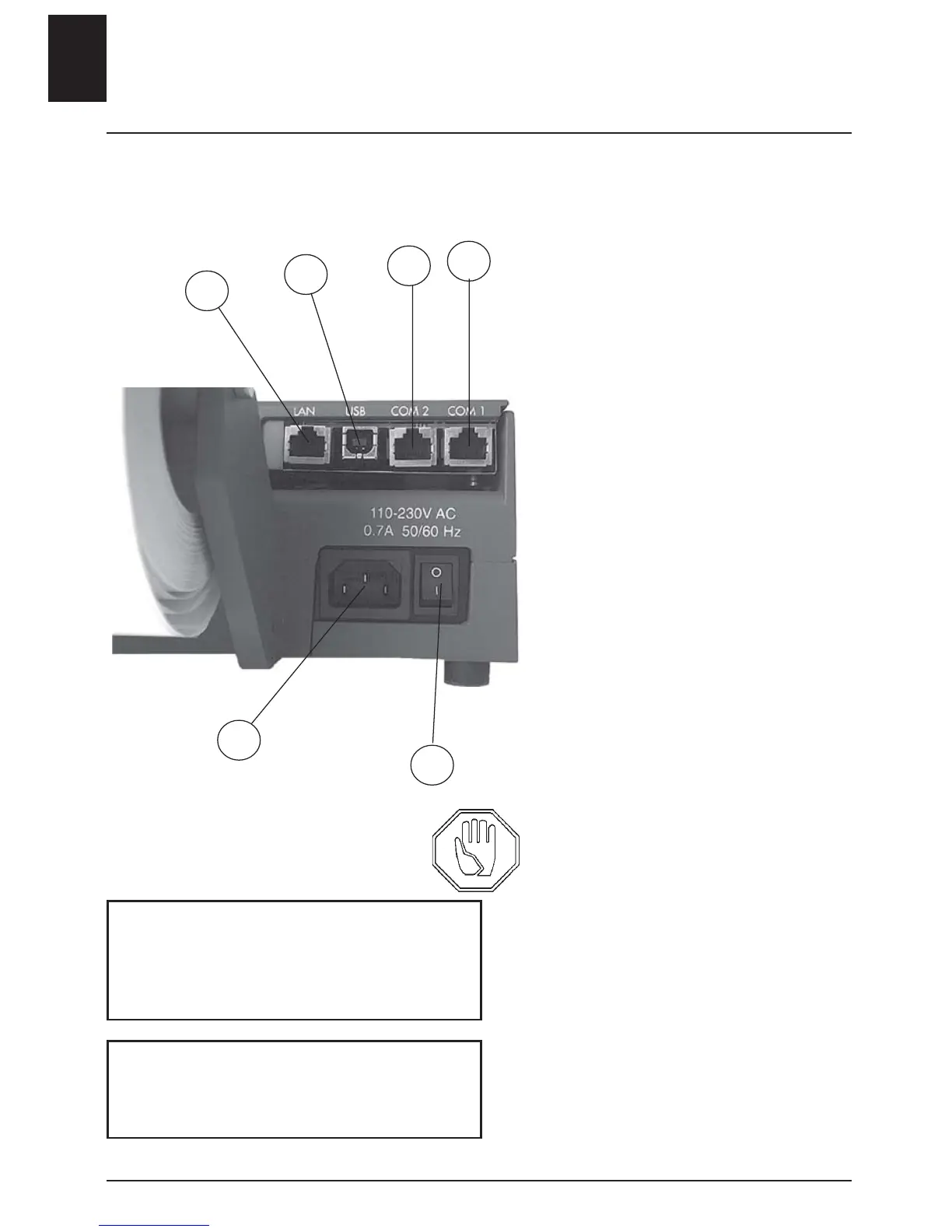
To a computer or server
1. COM1
2. COM2
3. USB
4. Ethernet/LAN
5. Power switch
6. Power connection
Before connecting any cables to
the printer ensure that the
power cable is not connected.
The printer is equipped with serial
connections: 300-115 000 baud
(COM 1, COM 2). Ethernet TCP/
IP and USB.
USB will only work with Windows
2000 or later versions.
Use shielded cables and do not
place them parallel to the power
cable.
- Connect the cables.
• Always ensure that the cables
are connected to the correct port!
- Connect the power cable to an
earthed socket.
4 - ENGLISH
6
5
4
3
2
1
Power consumption of the base model
Maximum consumption: 0.7 A
Standby 45 mA (10-12W)
The printer shall be connected to an
earthed socket when the power cable
is connected.












 To Next Page