A26618-A
ENG
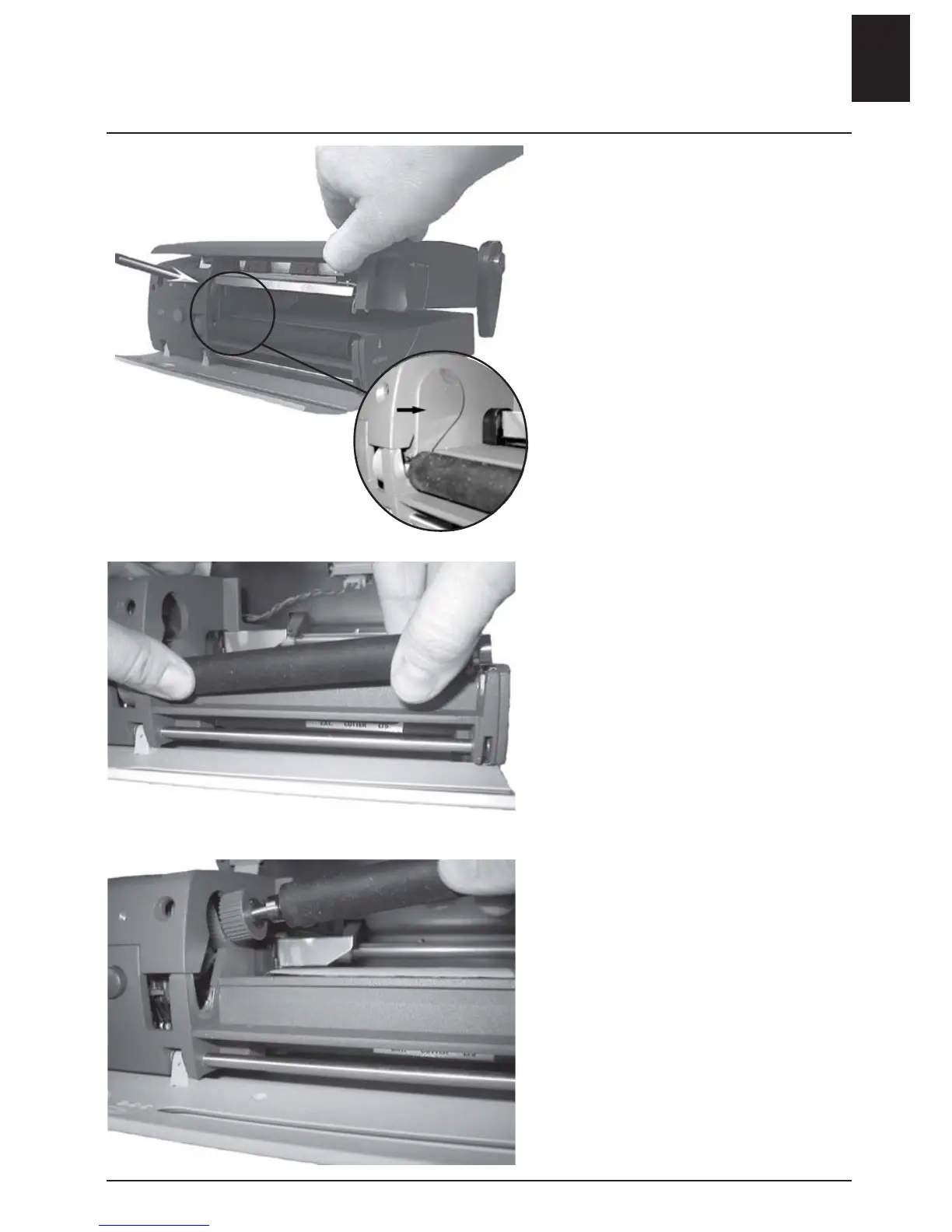
Changing the roller
Base model
- Open the front cover.
- Lift up the top cover by pressing
carefully with a pen or similar on
the catch.
- Loosen the locking plug.
- Press on the roller with your
thumb and move it to the left.
- Lift out the right hand part of
the roller.
- Move the roller along the open-
ing.
- Lift out the roller.
Replace roller in a reverse order.
• Ensure that the pinion engages
the driving belt. The driving belt
stretches when the roller is in the
correct position.
ENGLISH - 9












 To Next Page