A26618-A
ENG
Printer equipped with cutter
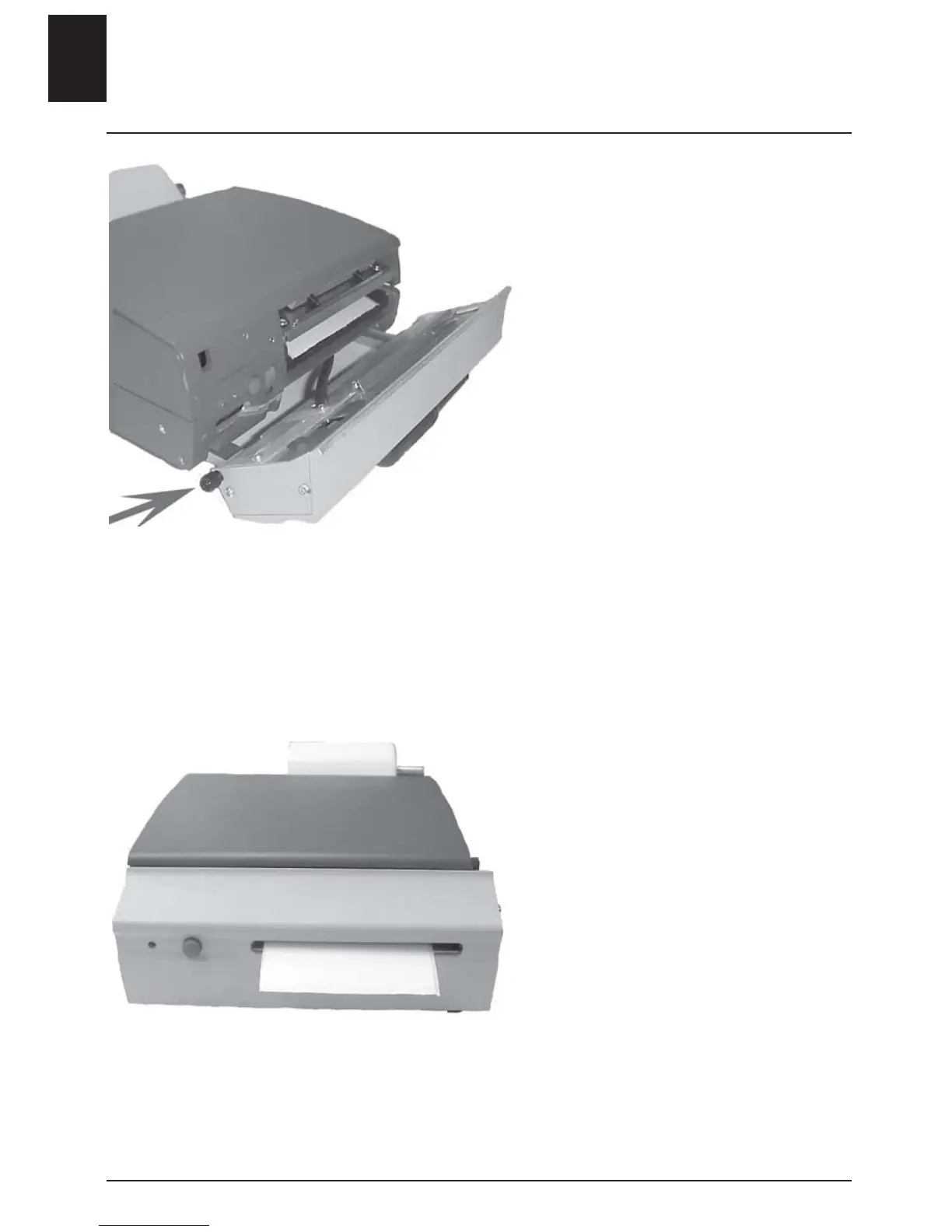
- Pull out the locking pin.
- Fold down the cutter.
• Follow the instructions for the
base model.
- Feed the end of the media roll
through the cutter.
- Pull out the locking pin and fold
back the cutter.
- Feed through a blank label.
- Press the start button in order to
find the correct media position.
The printer will automatically read
the position of the media so that
printing starts correctly.
Changing media
6 - ENGLISH












 To Next Page