A26618-A
ENG
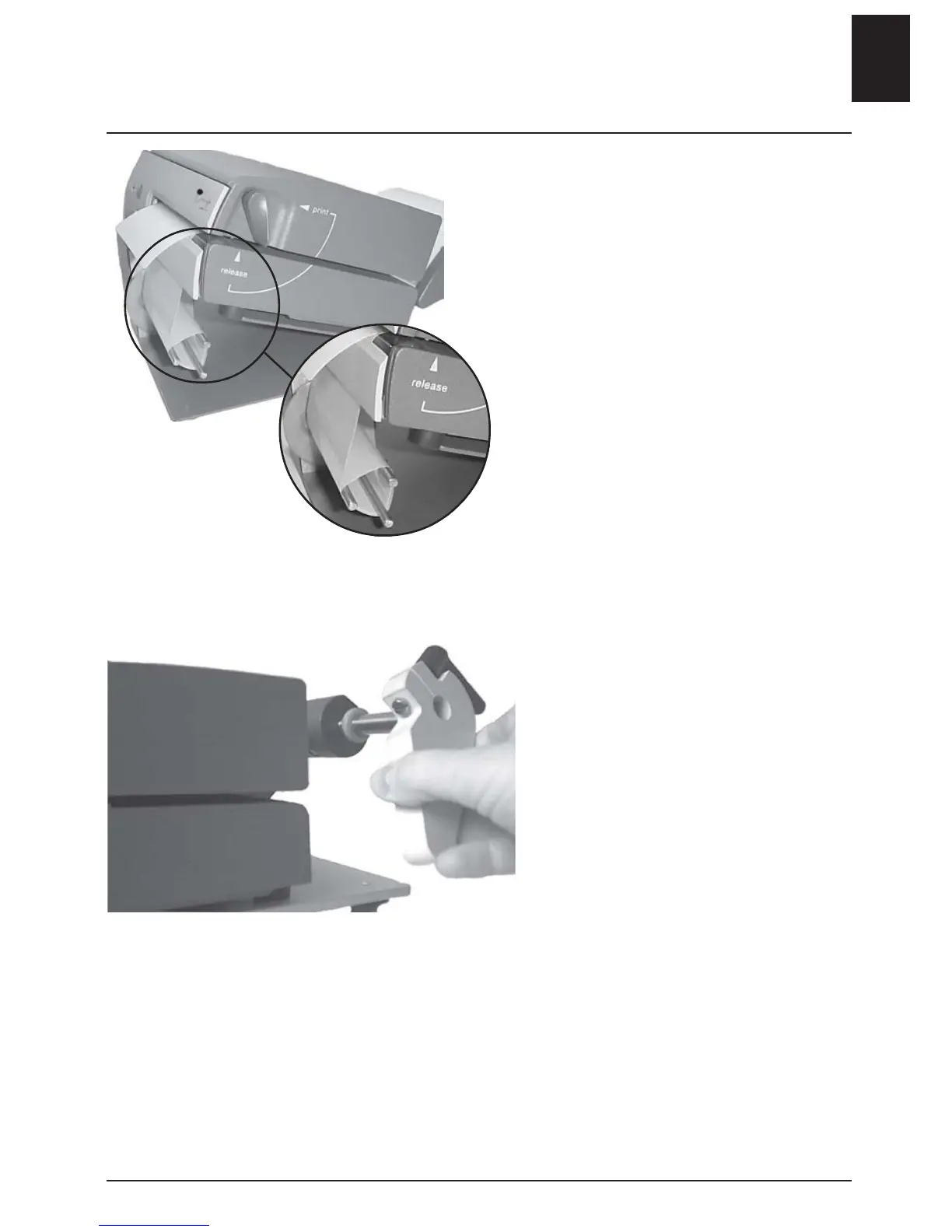
Printer with Peel-Off kit
Follow the instructions for the base
model.
- Remove several labels from the
carrier paper.
Feed the media
- behind the lower part of the front
cover
- through the reeling pins
- Pull the reeling device counter-
clockwise in order to increase
tension of the carrier paper.
- Press the start button in order to
find the correct media position.
MP Compact4 Mobile
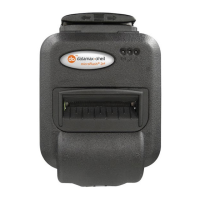
The roller guide is blocked by a
locking device, which enables the
printer to be used in a vertical
position in a mobile environment.
- Turn the release lever to lift the
printhead.
- Remove the roll guide.
- Insert a new media roll.
- Feed in from the side of the
printer.
- Insert roll and lock the roll guide.
- Turn the release lever to PRINT.
- Feed through a blank label.
- Press the start button in order to
find the correct media position.
The printer will automatically read
the position of the media so that
printing starts correctly.
Changing media
ENGLISH - 7












 To Next Page