5. Getting Started
5.4 Inserting Media – Peel-Off Kit
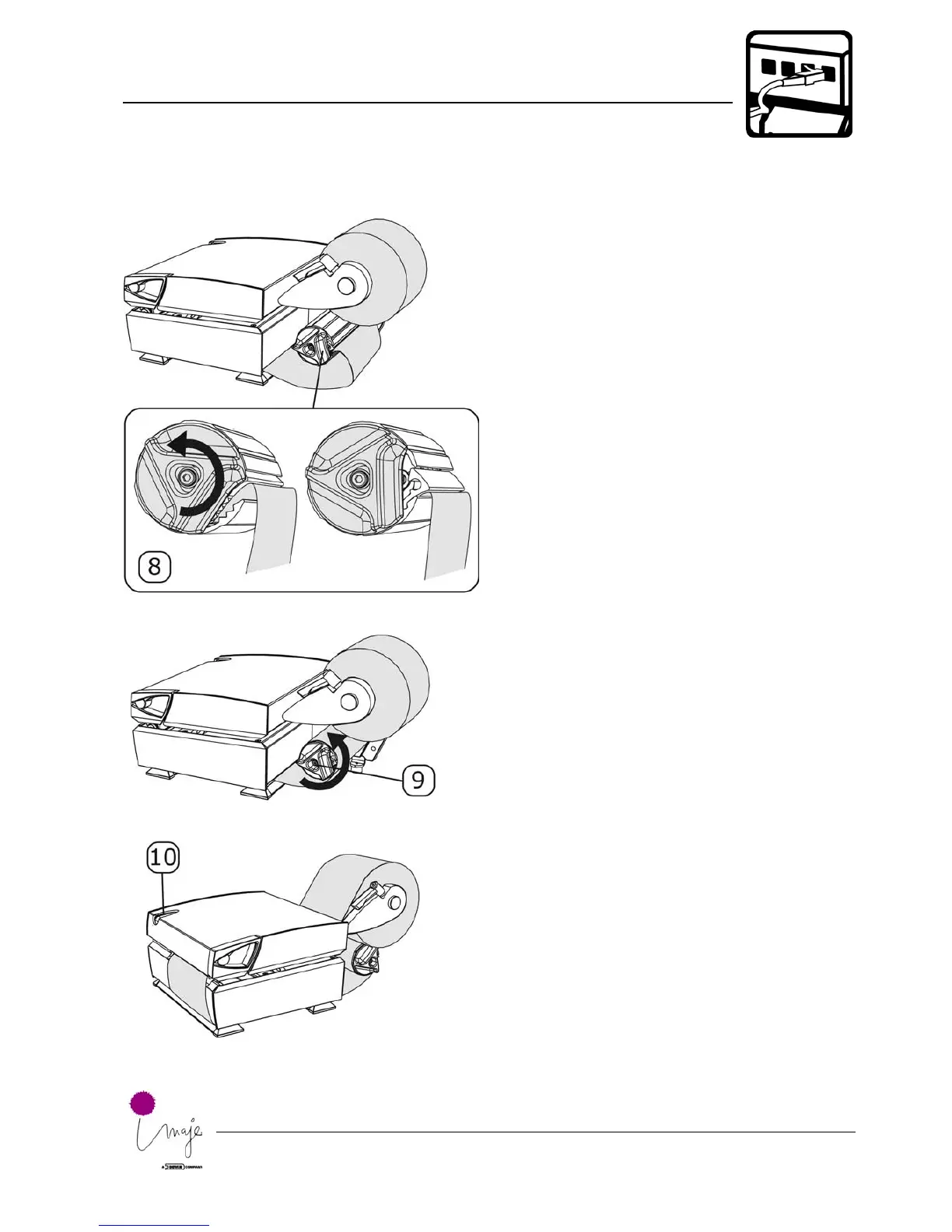
8.
9.
10.
Close the rewind unit slot by
turning the knob counter-
clockwise while holding the
cylinder and backing paper
firmly.
Roll the backing paper
around the rewind unit by
turning the knob counter-
clockwise. This increases
the tension of the backing
paper.
Press the print button a
few times until the printer
automatically finds the
correct position of the
media.
Note:
If necessary, make a test
printout and auto adjust the
media positioning sensor as
described in chapter 5.7.












 To Next Page