EDM
PRODUCT REFERENCE GUIDE
43
EDM
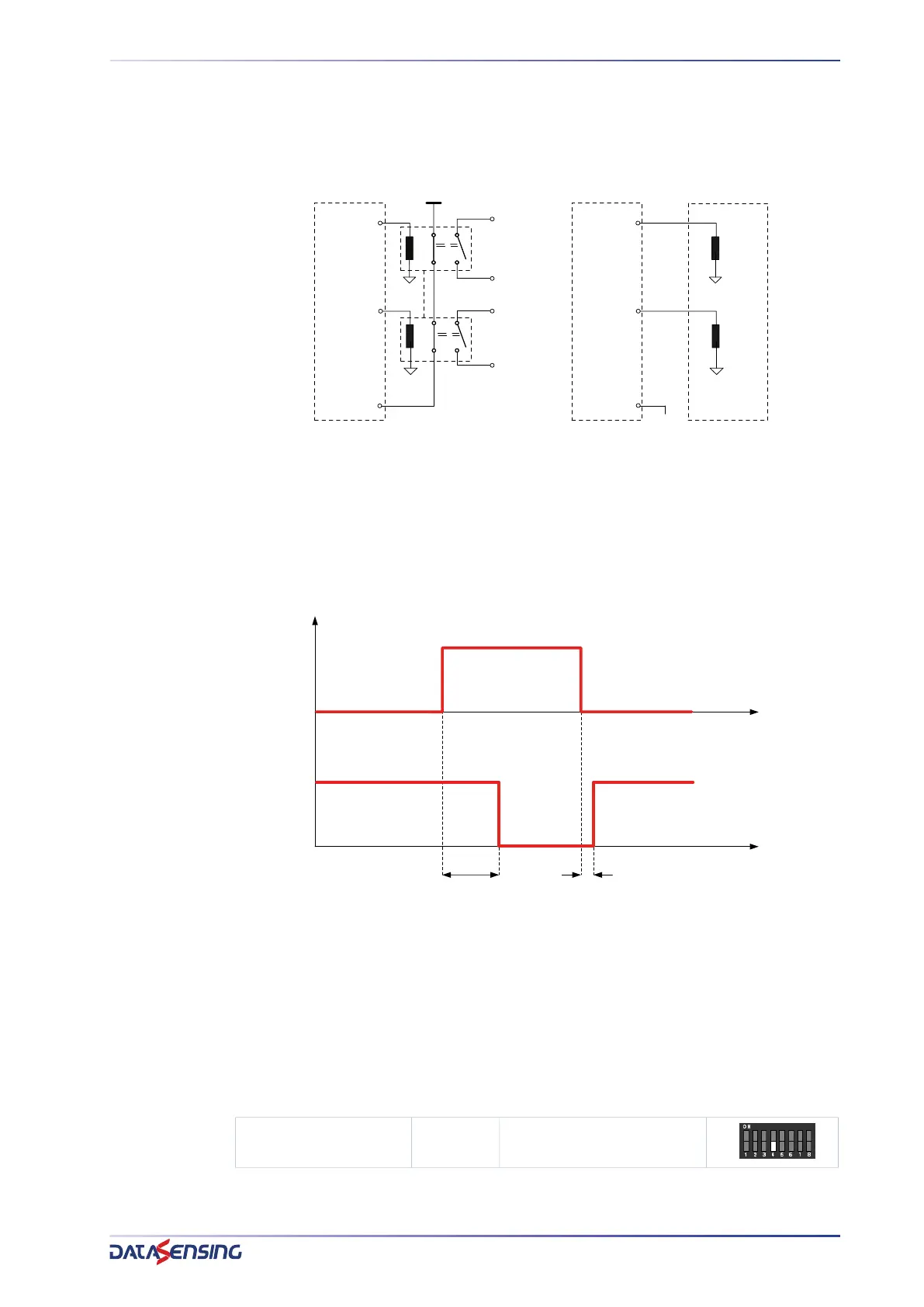
The External Device Monitoring (EDM) function controls external devices by verifying
the OSSDs status. To correctly use this function user must connect EDM input to a N.C.
to 24V contact of the device to control (forced guide relay).
Figure 29: EDM wiring
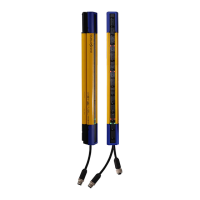
The function controls the N.C. contact switching according to the changes of the OSSD
status.
The timing diagram below explains the relationship between the cause (OSSDs) and the
effect (EDM), with the maximum permissible delay.
Figure 30: EDM function timing
Tc 350 ms (time between OSSD OFF-ON transition and EDM test)
T
0 100 ms (time between OSSD ON-OFF transition and EDM test)
(two different times for the mechanical contact driven by a spring)
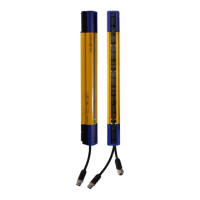
Configuration
Set the Dip switch according to the chosen configuration:
24Vdc
OSSD_1
OSSD_2
EDM
OSSD_1
OSSD_2
EDM
ESPE
ESPE
Safety MPCE
forced guide
relais
EDM ENABLED
EDM DISABLED
floating
nc
nc
no
no
ON
OFF
24Vdc
0Vdc
OSSDs
STATUS
EDM
Tc
To
EDM 4
OFF: Disabled
ON: Enabled


 To Next Page