36
SH4 STANDARD MUTING
CHAPTER 6
FUNCTIONS
This chapter describes all the functions of the light curtain.
The main function of the light curtain is the safe detection: when any object with
dimensions equal or greater than the light curtain resolution is placed anywhere within
the detection zone, the light curtain will detect it and its safe outputs (OSSDs) shall go to
the OFF- state.
SH4 performs this detection function according to IEC EN 61496-2.
The user can configure basic functions/basic parameters by means of dip switches
located inside connection pig-tails thereon referred as “SmartPlug”. Dip switches are
present on RX unit only.
S-8 Models have a single 8 poles M12 connector with 2 muting signals inputs and over-
ride on a single wire.
S-8-5 Models have 2 connectors with 2 override signals inputs on main connector, 2
muting signals inputs and power supply output for muting sensors on secondary con-
nector. Can be also used as master in cascade configurations.
DIP SWITCHES
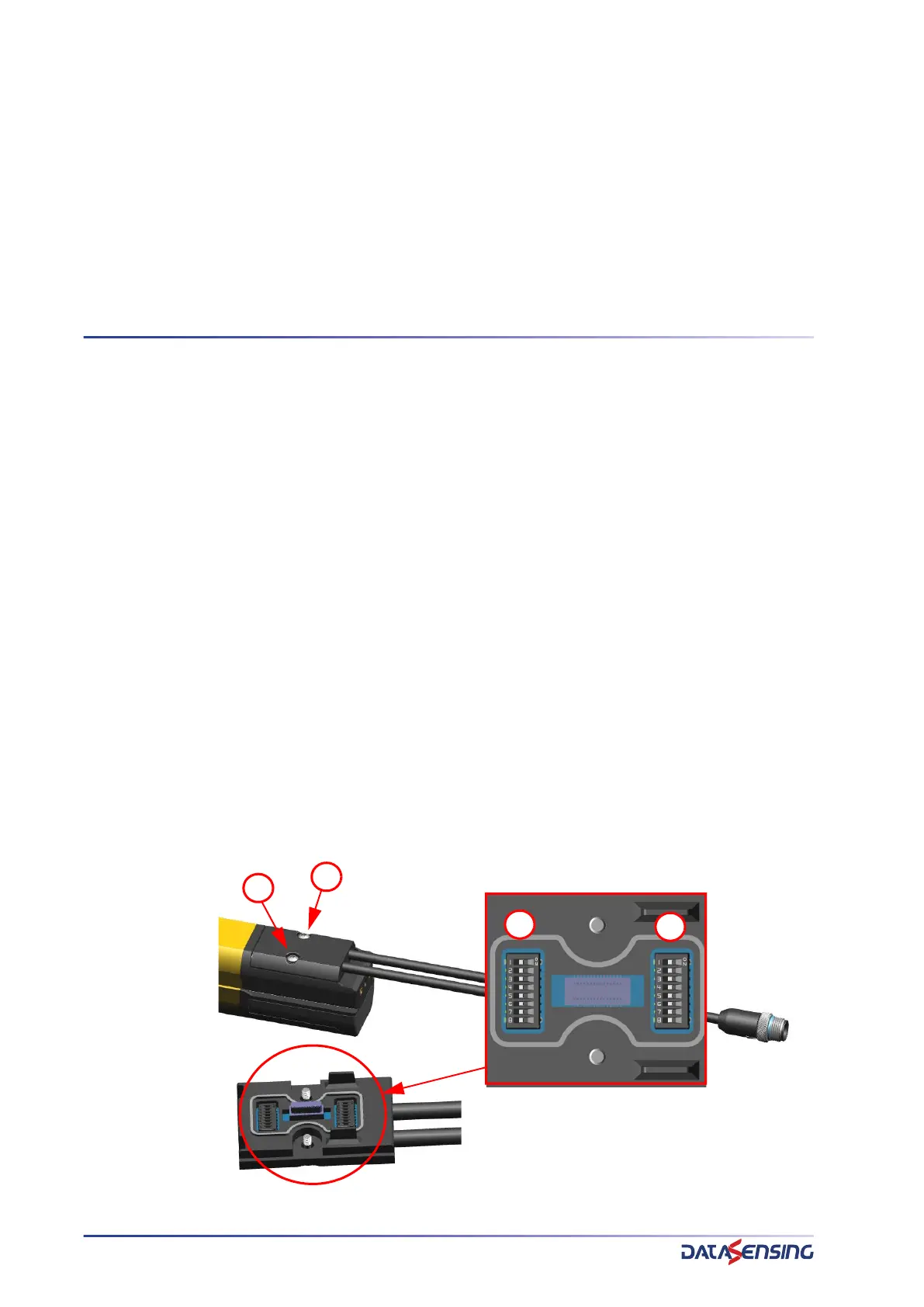
To access the Dip switches it is necessary to remove the rear panel screws located on
the Receiver (RX) unit.
Dip switches are redundant: 2 series of 8. For any configuration the Dip switches banks
A and B must have the same setting. If the setting are different the light curtain goes in
configuration failure (see "
F2233 Configuration Failure" on page 63)
1
2
A
B


 To Next Page