13
Administrator
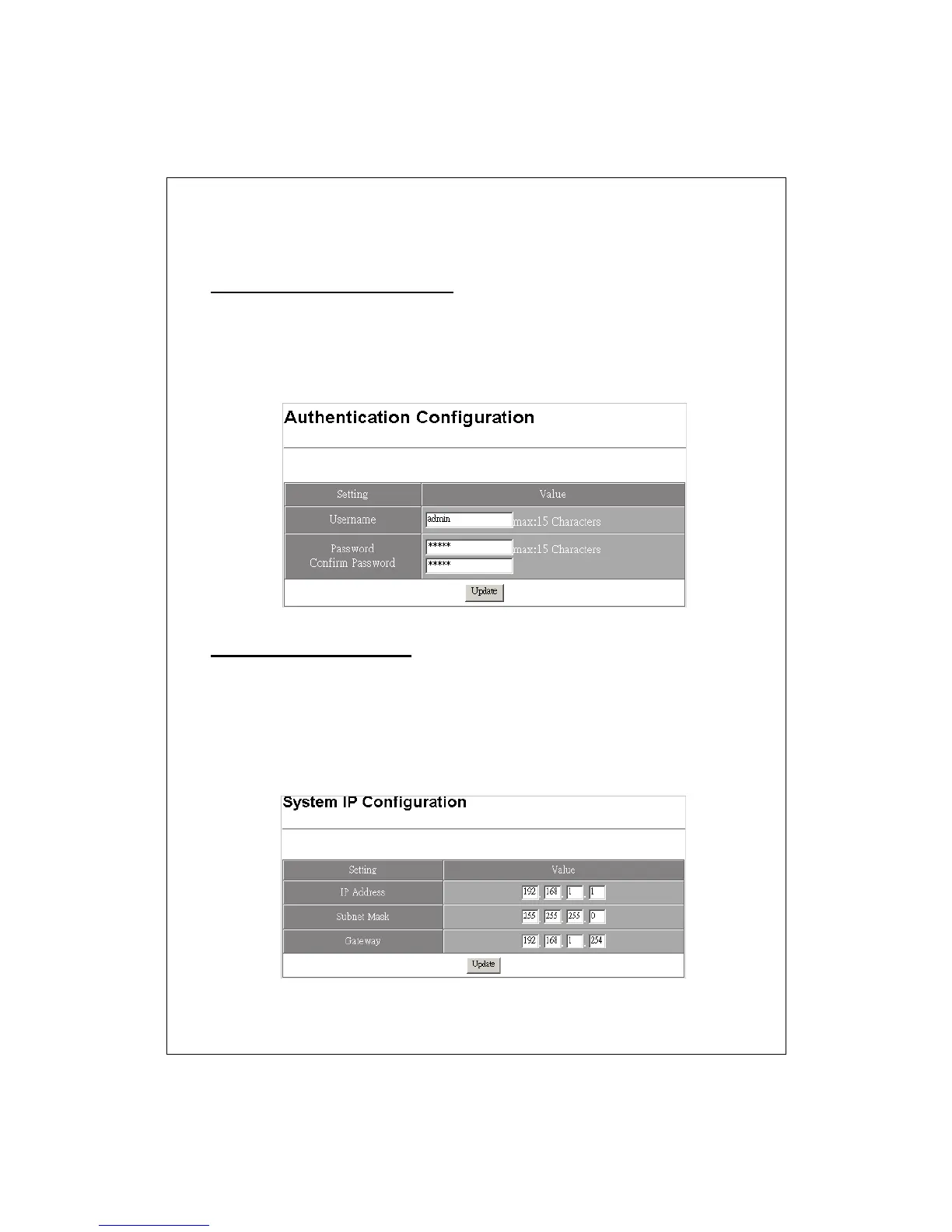
Authentication Configuration
Specify the username/password for accessing this Graphic User Interface.
Please fill in your desired username and password in the designated boxes
respectively then click the update button to perform changes.
Note: The default username/ password is admin/ admin.
System IP configuration
This page allows users to change the IP addresses of this device. Fill in the
parameters and click Update to change the IP addresses.
Note: The factory default value of the switch:
IP: 192.168.1.1
Subnet Mask: 255.255.255.0
Default Gateway: 192.168.1.254


 To Next Page