14
System
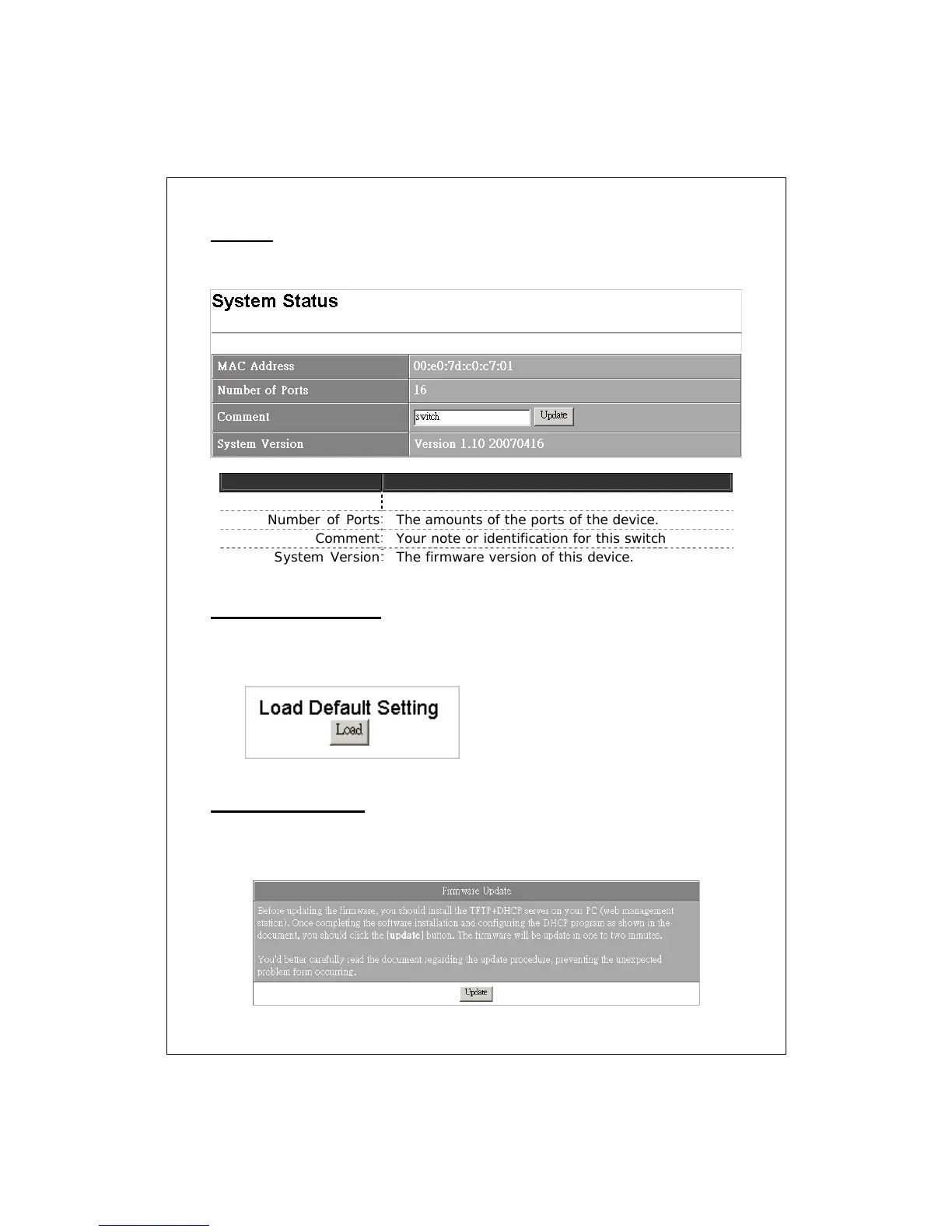
The system information of this device
Items Functions
MAC Address
The MAC address of this device..
Number of Ports
The amounts of the ports of the device.
Comment
Your note or identification for this switch
System Version
The firmware version of this device.
Load Default Setting
This page allows users to load the default settings of the device. Please note
that your configurations to this device will be completely removed.
Firmware Upgrade
Use this page to update a new firmware for this device. Please note that you
should install TFTP and DHCP server on your PC first before performing
firmware upgrading.


 To Next Page