17
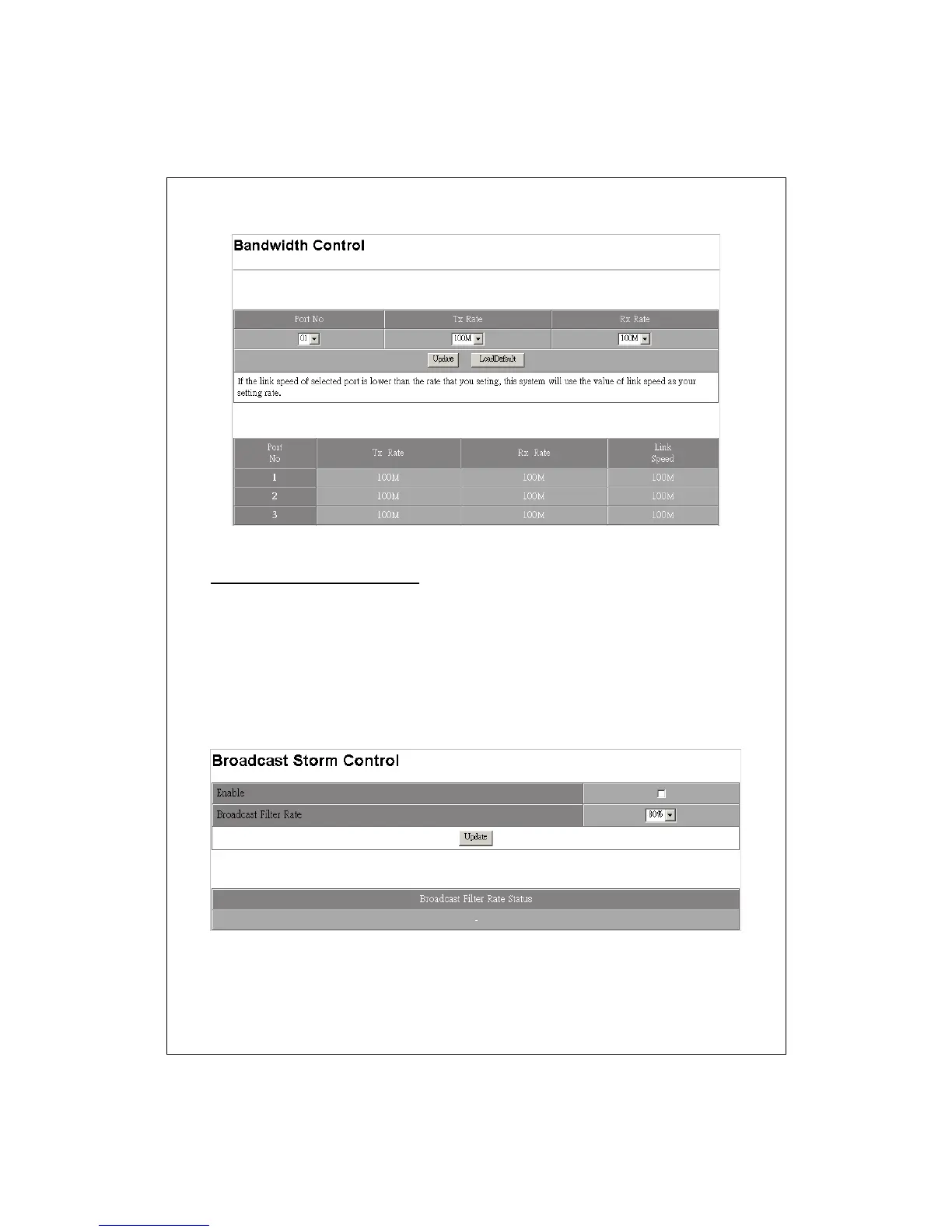
Broadcast Storm Control
This function prevents the bandwidth from overloaded by broadcast packets.
To activated this function:
1. Mark the “Enable” checkbox.
2. Select the rate of the broadcast packets that are going to be
dropped by the Broadcast Filter.
3. Click the “Update” button to activate the broadcast filter
function.


 To Next Page