19
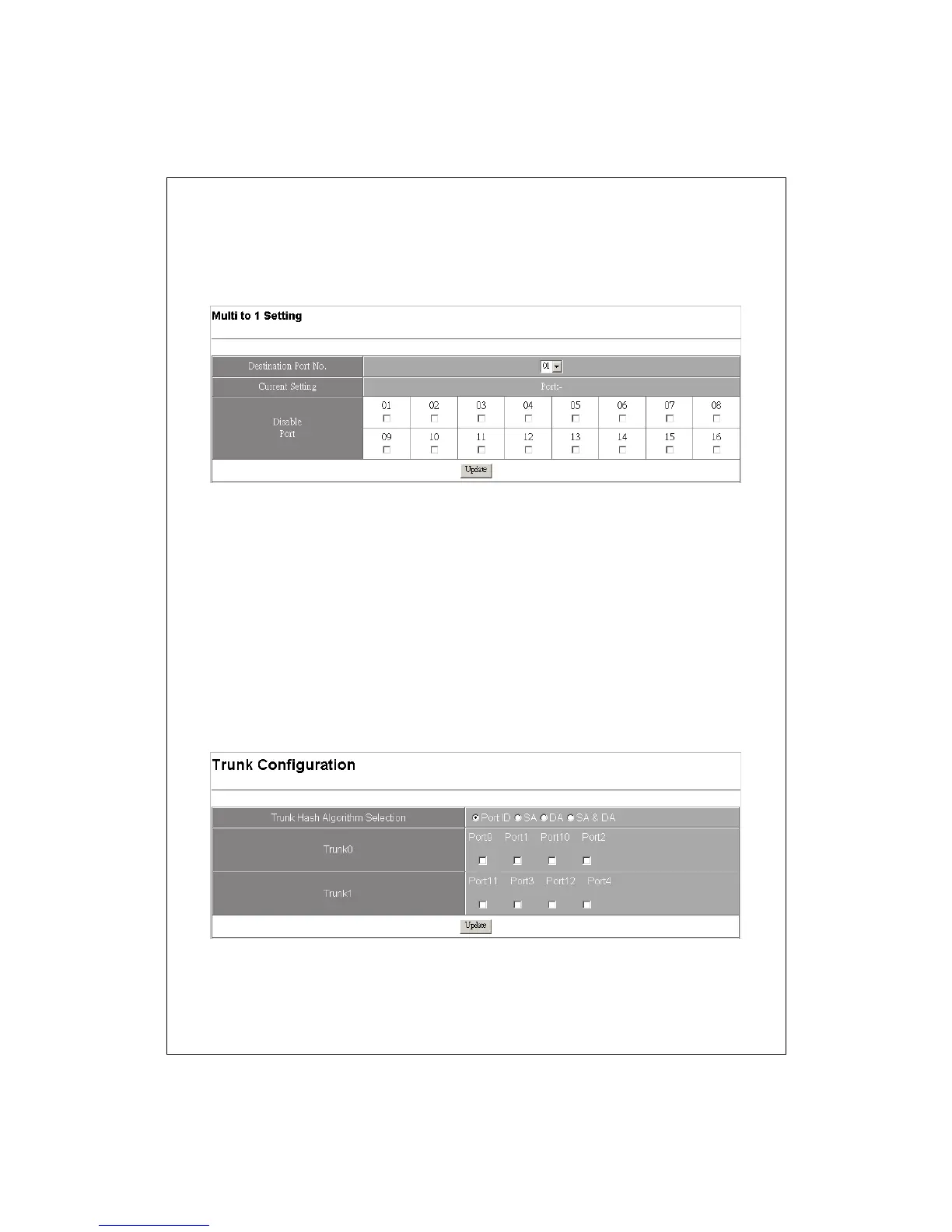
3. Click the Update button to activate.
Note: While the group setting in “Multi to 1” conflicts with “Group VLAN
setting” the system ignore your configuration on “Multi to 1” function.
Trunk Setting
To set up the Port trunk groups:
1. Select a trunk mode in the algorithm selection column. There are three
aggregation modes for you to setup, SA, DA, and SA+DA. SA mode
selects the path of packets according to source MAC Address while
DMAC mode selects path according to destination MAC Address. SA+DA
mode calculates the result of SA and DA mode to decide the path of
packets.
2. Select the members in Trunk 0 or Trunk 1 group.
3. Click the Update button to activate your configuration.


 To Next Page