18
VLAN Setting
VLAN divides the network members into groups to reduce packets collisions
and improve the network efficiency. Please follow the instructions to
configure.
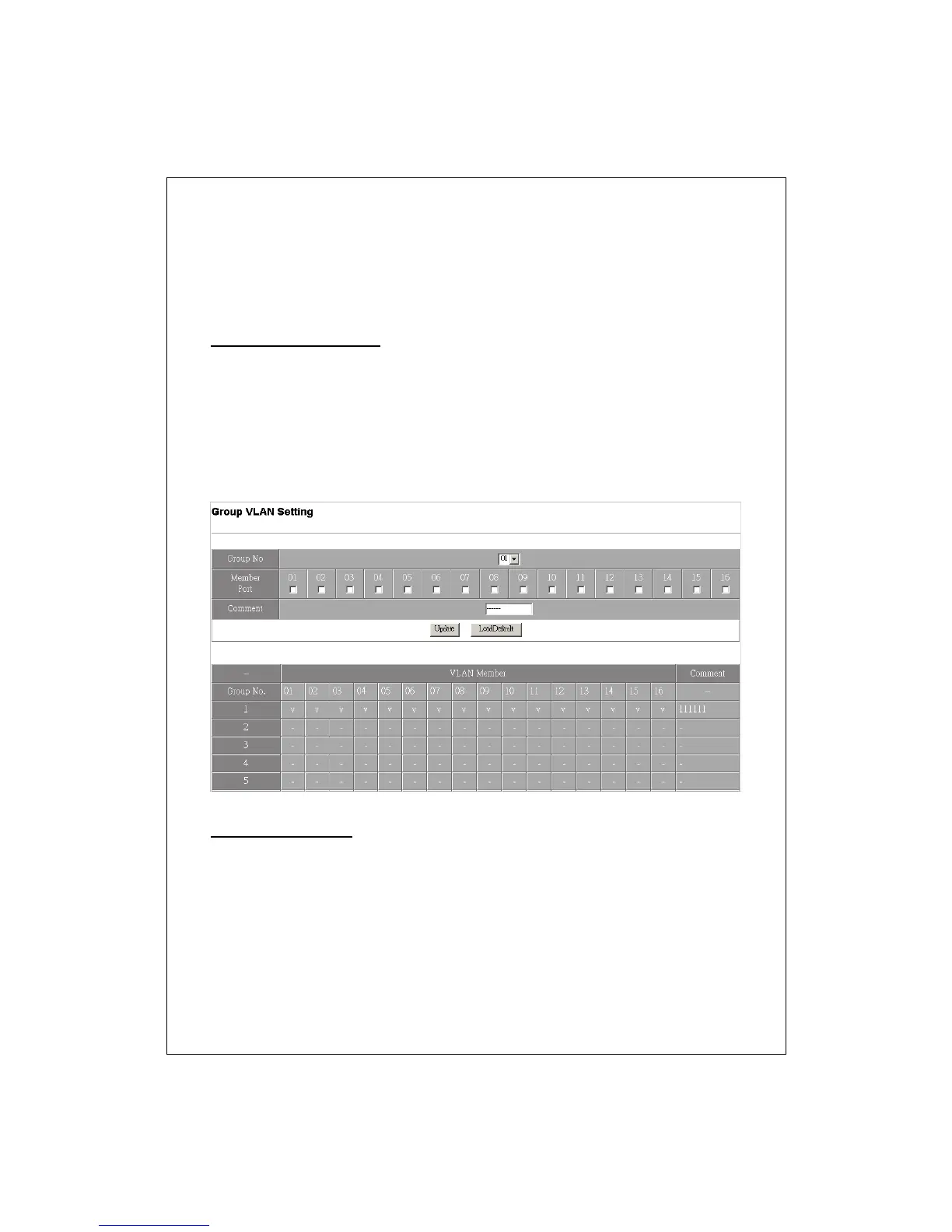
Group VLAN Setting
1. Select a group in the “Group NO” drop list.
2. Select the members of the group by marking the “Member Port”
checkbox.
3. Fill in your note for this group in the “Comment” blank than click the
Update button to create a VLAN group.
4. You could also restore the default settings of VLAN by clicking the
“LoadDefault” button.
Multi to 1 Setting
This function provides users to separate the ports on this device in two
groups quickly. Those selected ports will be banned from connecting with
the destination port.
To start this function:
1. Choose a destination port.
2. Select those ports that are NOT allowed to connect with the destination
port.


 To Next Page