22
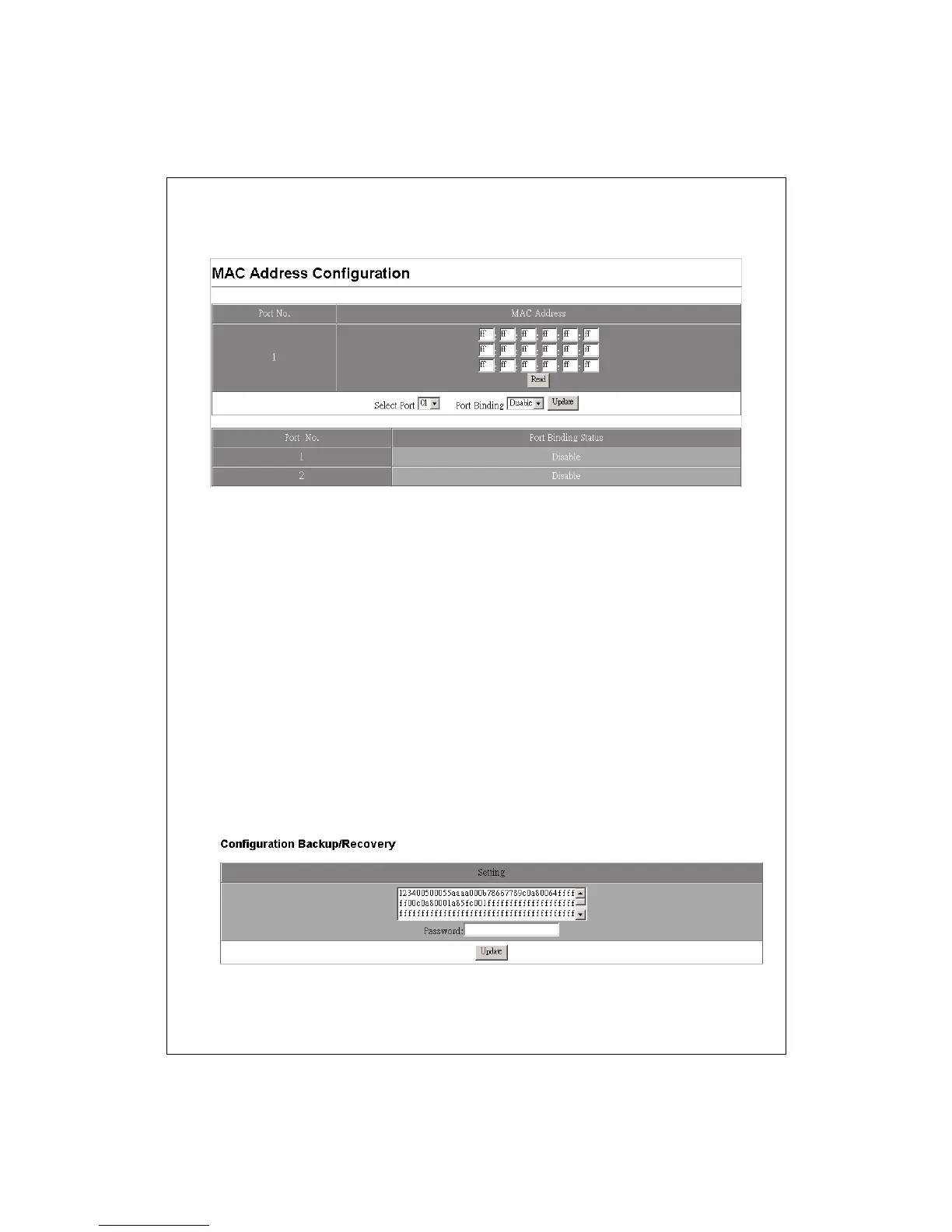
5. To change the MAC addresses, fill in the new addresses and click the Read
Button.
Configuration Backup/Recovery
This function provides a quick applying while a configuration is going to be applied
on several of this product. Please follow the instruction below to Save and load a
configuration.
Save your configuration to this product
1. Select the string in the Setting window
2. Right–click the string you selected and select copy.
3. Paste the string in a documentary file. Ex, notepad (*.txt) or Word (*.doc)
Load the configuration to this product
1. Open the file you save this string and select them all.
2. Right-click on the string you selected and select copy.
3. Enter this configuration page. Delete all the string in the Setting column.
4. Paste the string that you copied, fill in the password for accessing this device
and click the Update button to load your configuration.


 To Next Page