20
QoS Setting
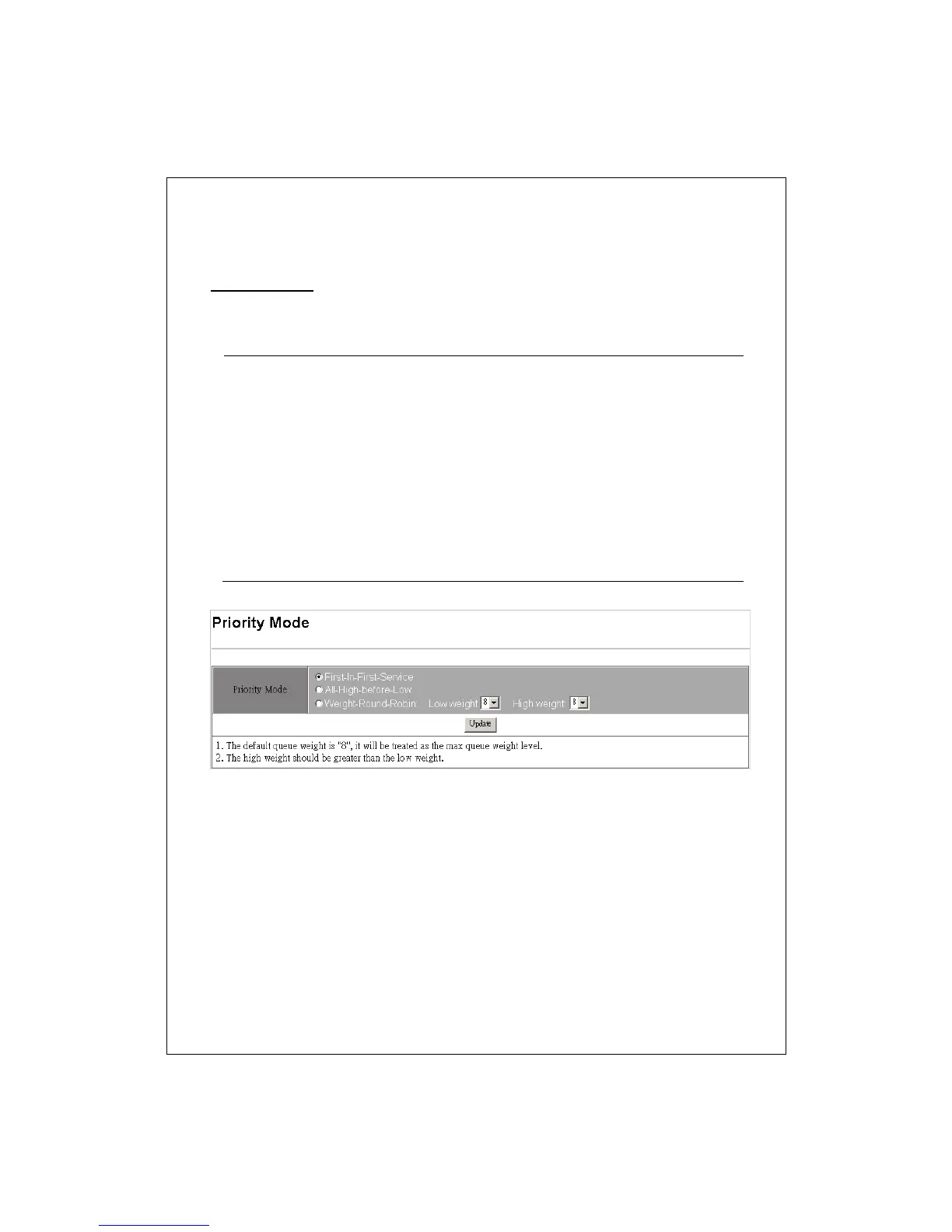
Priority Mode
This page allows users to designate a QoS mode of this switch. You can
select from three modes:
First-In-First-Service
he QoS function is disabled. The switch deliver the
packets accordin
to the time that the packets came
in.
All-High-Before-Low
he QoS function is enabled and the switch will deliver
low-priority packets only after high-priority packets
are completely delivered.
Weight-Round-Robin
he QoS function is enabled and the switch deliver
packets accordin
the ratio of hi
h/low packets that
you confi
ured. To set the ratio, click on the Low/Hi
h
weight drop list.
Ex, while you configure the Low wei
ht with 2 and
Hi
h wei
ht with 8, the switch will deliver 8
high-priority packets before sending the 2 low-priority
packets.


 To Next Page