UM-0085-B09 DT80 Range User Manual Page 173
RG
#include Directive
This directive is used to insert the contents of another file into a HTML page.
<!--#include file = "rel-file" -->
Inserts the contents of the file rel-file (specified as a relative path, e.g.
) into the current HTML page.
<!--#include virtual = "abs-file" -->
Inserts the contents of the file abs-file (specified as an absolute path, e.g.
b:\events\event.log) into the current HTML page.
The #include directive may be nested, i.e. a file that has been included may itself then include another file, up to a
maximum of three levels.
cond Attribute
This attribute may be included by any SSI directive, in addition to its normal attribute. It specifies a condition – if the
condition is met then the SSI directive is processed, otherwise it is ignored
. This provides a way to conditionally include
web page elements based on the status of the DT80.
Process directive if the specified schedule has been defined
Process directive if any data have been logged for the specified schedule
Process directive if any alarms have been logged for the specified schedule
For example:
<!--#include file = "schedA.shm" cond = "SchDefined(A)" -->
will only include the indicated file if schedule A is defined in the current job.
Building A Custom Web Page
This section provides a brief overview of the process of setting up a custom web page for the DT80. It is assumed that
the reader has a good working knowledge of HTML and the DT80.
All custom pages will need to be loaded into a directory of your choice on the DT80's internal file system (B:).
Creating the SHTML Page
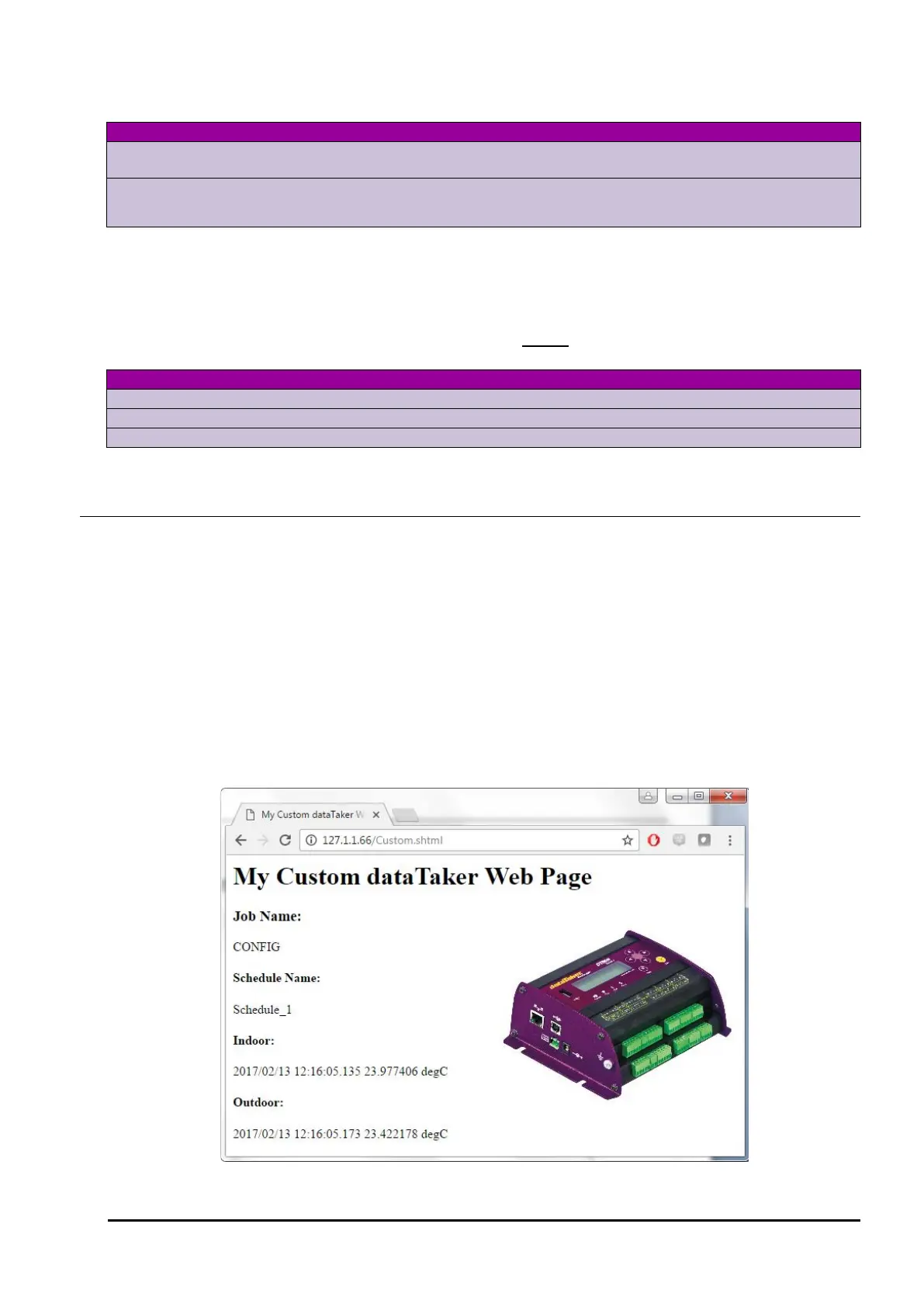
An SHTML page can be created with any HTML or text editor. Let’s create a page that is titled "My Custom dataTaker
Web Page" that will contain an image and display the following logger data:-
• The current job name
• The name of schedule A for the current job
• The value from channel variable 1
This is what the SHTML page will look like when viewed in a web browser:-



 To Next Page