UM-0085-B09 DT80 Range User Manual Page 283
RG
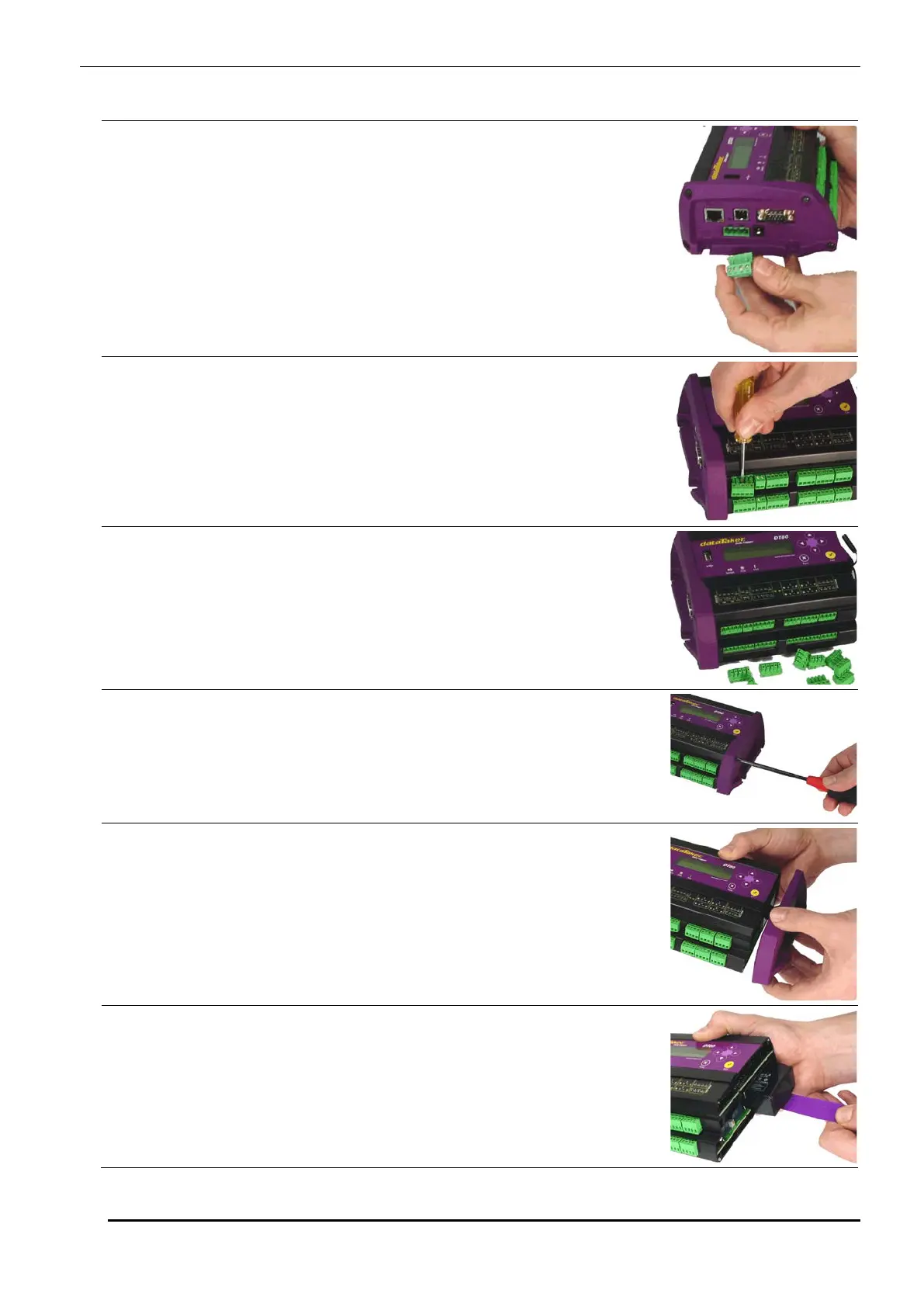
Accessing the lithium memory backup battery
1. Remove the power connector (if fitted)
2. Remove all the terminal blocks
3. Terminal blocks removed
4. Remove the screws from the right hand end of the logger
5. Remove this end of the logger
6. Pull the purple 'battery tail'
(models with internal battery only)



 To Next Page