UM-0085-B09 DT80 Range User Manual Page 245
RG
Setup WiFi Client PSK
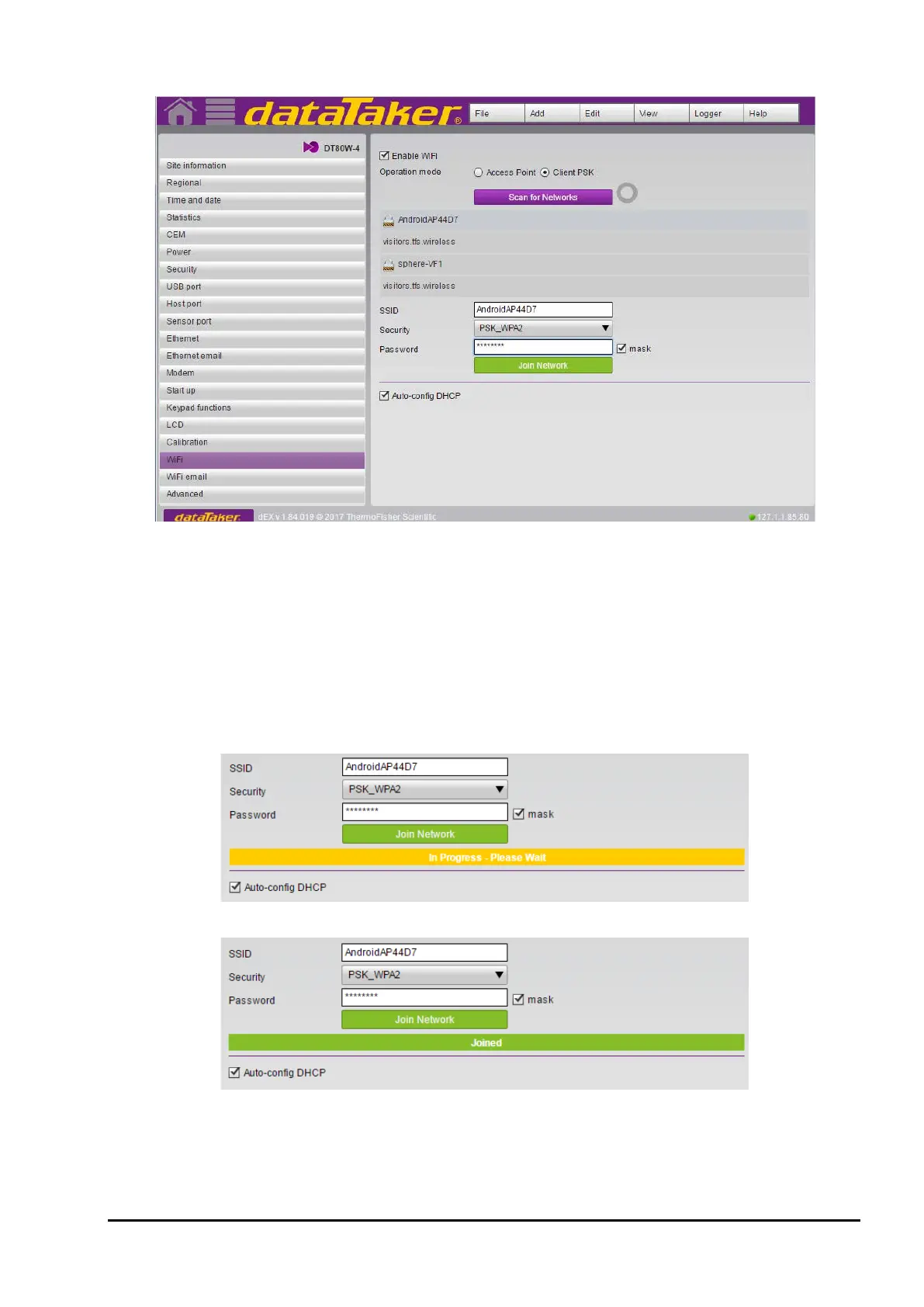
Figure 97: WiFi page – Client PSK selected and List of available network
Enable WiFi operation by checking the checkbox and to connect via Client PSK mode simply select that mode then you
can either scan for a list of available WiFi networks or you can enter your setting directly if known.
To manually add a WiFi connection edit the SSID connection info and press the Join Network button to commit the new
settings and start the WiFi connection process.
To select from the available WiFi networks press the Scan for Networks button to start the scanning process.
If no networks are found please ensure your WiFi attenna is connected and you can press the Scan for Networks button
to retry the scanning process.
Click on the network you want to join to populate the SSID information. Add the password and press the Join Network
button.
Figure 98: Connecting in progress status
Figure 99: Connected to a WiFi network



 To Next Page