UM-0085-B09 DT80 Range User Manual Page 74
RG
Running Average
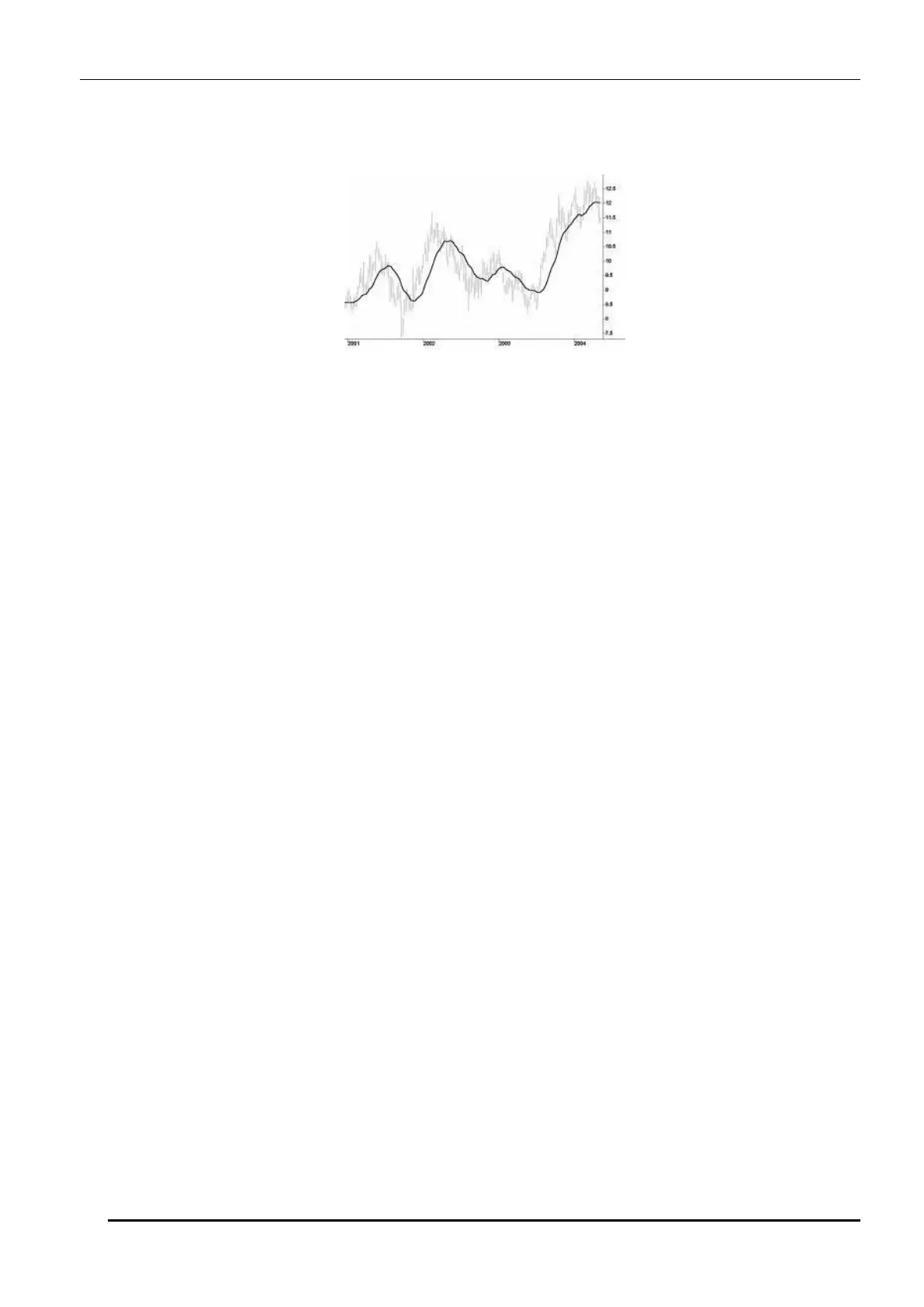
A running average is a calculation to analyse data points by creating a series of averages of different subsets of the full
data set. Is also called a moving mean or rolling mean and is a type of finite impulse response filter. Running average is
used to smooth data by remove short term trends or noise from the data thus revealing longer term underlying trends
Figure 18: Running Average as depicted in a chart
The DT80 Can be to used to generate a running average of channel samples.
• It buffers specified number of channel samples and will calculate the Running average
• Subsequent channel samples will be added to the running average by removing the earlier samples and by
keeping the sample size specified by the user
• Buffered sample can be reset at any time using the
DELRSTAT command
The format for Running average channel option
1TK(RAVn)
where
• n is the buffer sample size (vary from 1- 3600)
Maximum of 100 channels with running averages can be added.
Example
to create a running average of a temperature channel with a sample size of 100 and reset the buffer manually.
BEGIN"RAVG"
RA5S
1TK("RUNNING AVERAGE",RAV100)
RBX
DO"CLEAR"{DELRSTAT}
LOGON
END
The Configuration will return Not YetSet until it collects 100 samples
Running Average NotYetSet (R.Ave)
Running Average NotYetSet (R.Ave)
Once it collects the sample set the running average value displayed
Running Average 23.9 (R.Ave)
Running Average 23.9 (R.Ave)
Sampled values can be cleared by triggering schedule B in the above configuration
XB
DT85> Running Statistics Cleared



 To Next Page