24 / 24
Facelook X1 User’s Manual
APPENDIX A GATE PRINCIPLE AND CONNECTION
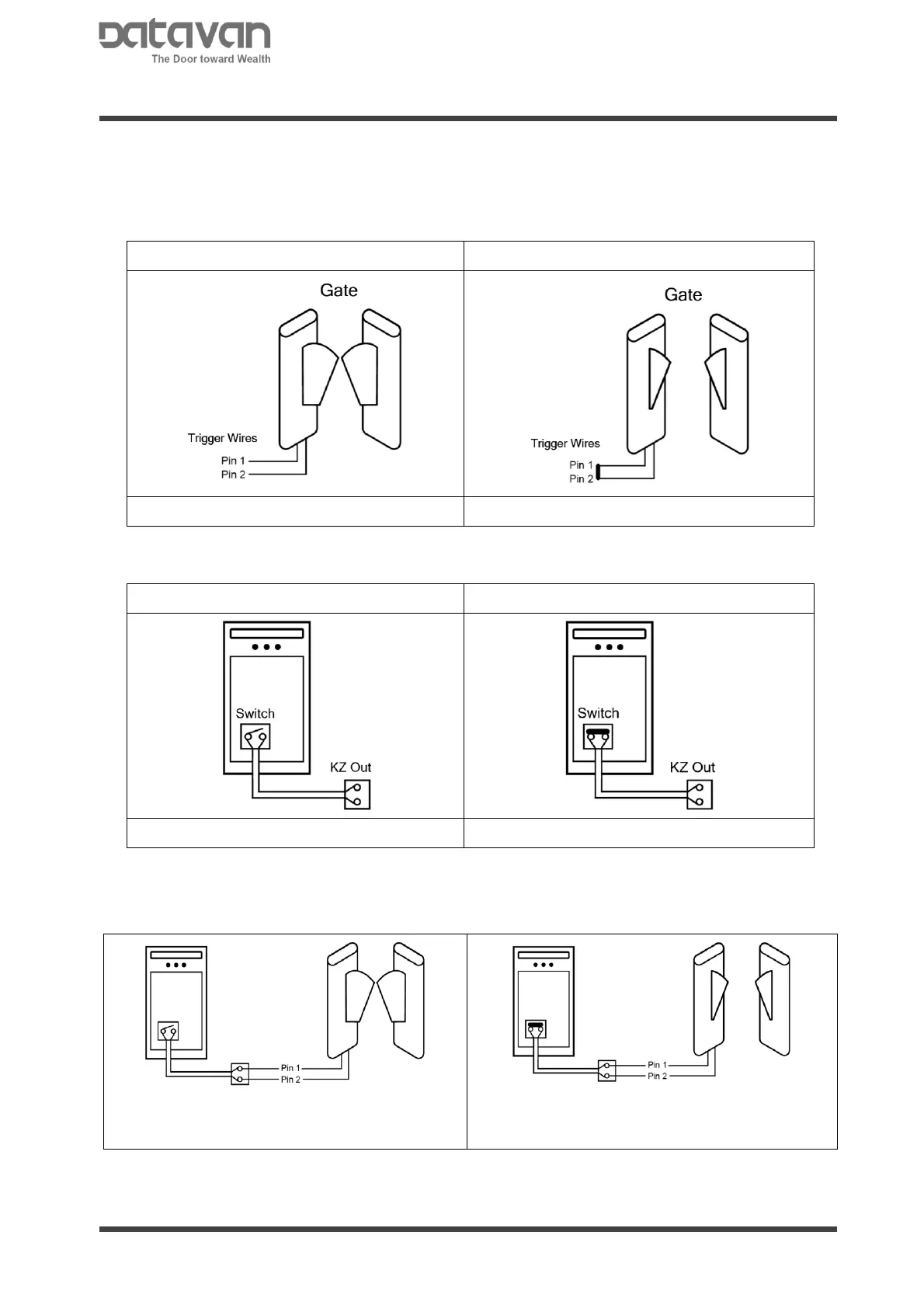
On the gate, there is supposed to be a pair of trigger wires for triggering the gate to open. There are
2 states for wires:
● Wire Seperated, Gate Closed
Wire separated → Gate keeps closed
Wire short → Gate is triggered to open
On the device, there is a switch on mainboard. There are 2 states for the switch:
● Unverified, Switch Open
Detection unverified → Switch keeps opened
Detection verified → Trigger switch to close
Therefore, connect the 2 pins of trigger wires from gate to the 2 holes of KZ Out connector from
device.
Normally, the switch is normal open and the
gate is normal closed.
When detection is verified, the switch is triggered
to close and the gate is triggered to open.



 To Previous Page