14 / 24
Facelook X1 User’s Manual
2.3.4 EQUIPMENT MANAGEMENT
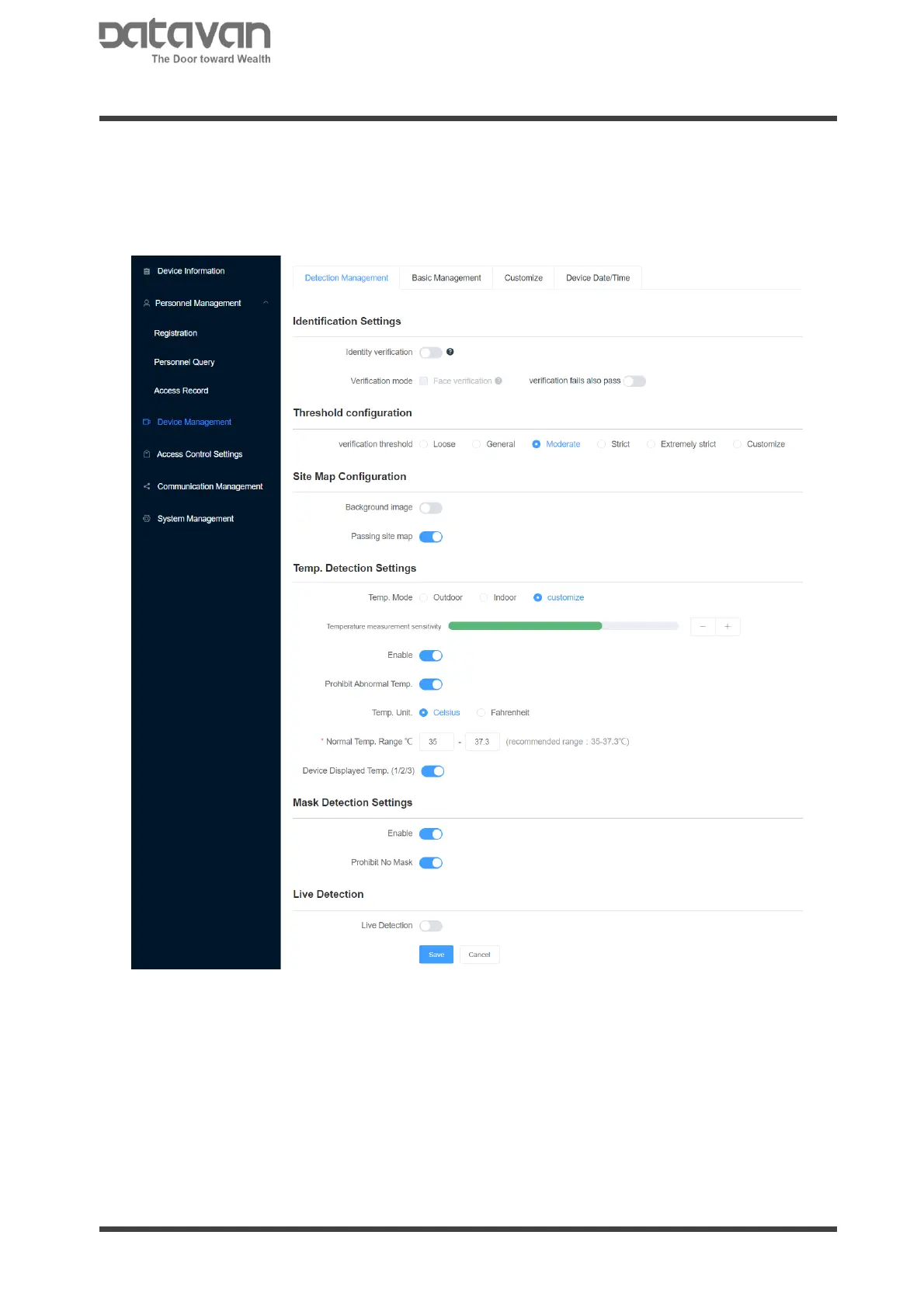
1. Detection Management
This page is to configure detection settings. It is divided into four parts: identification
settings, temperature settings, and mask settings. Set the settings depending on
the requirements.
Identification Settings
Identity Verification: Select to enable facial recognition to verify registered persons.
Verification Mode-[Face Recognition]: Tick to enable facial recognition.
When [Face Recognition] is enabled, anybody not registered is banned for access. If
[Verification Fail Also Pass] is selected, the person not registered is allowed for
access.
Threshold Configuration
Adjust the facial image comparison level if needed. The looser level the faster
comparison, but lower accuracy. The stricter level the slower comparison, but higher
accuracy. The default is [Moderate]. Select [Customize] to manually input the value.



 To Next Page