25
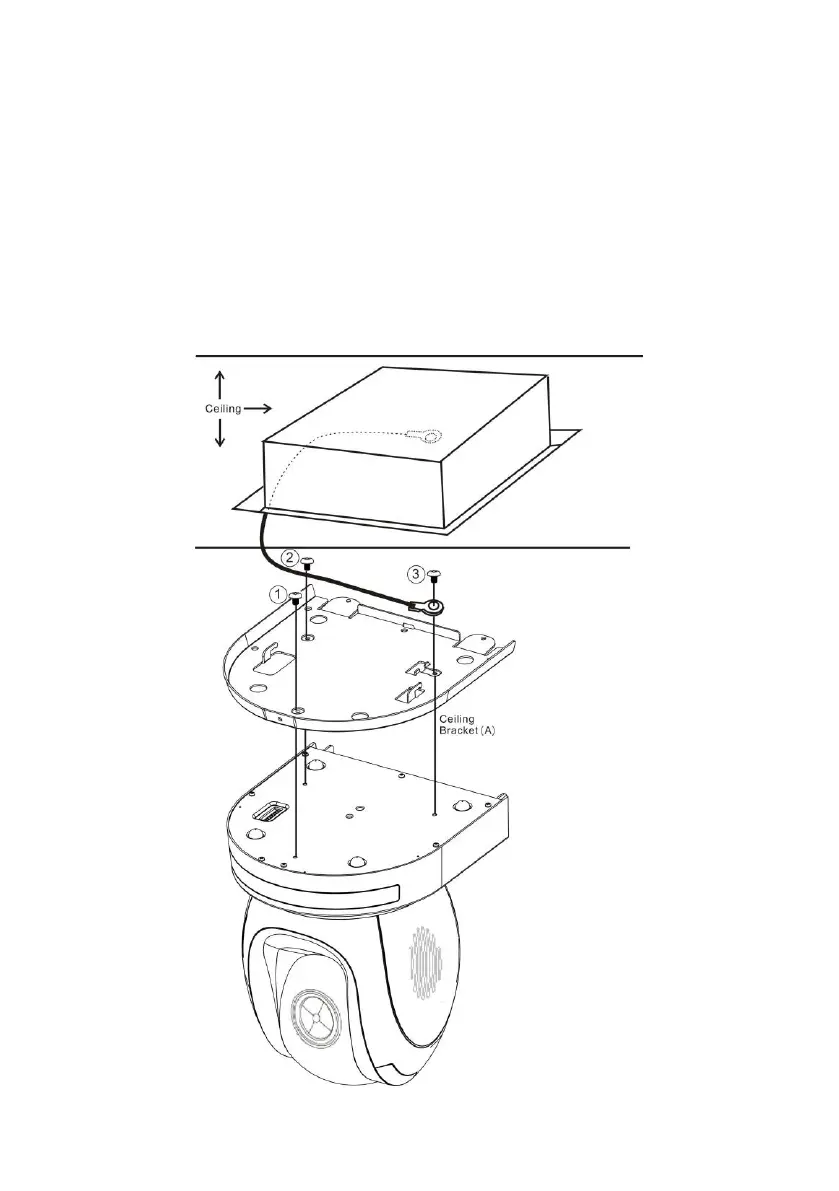
Step 4 – Ceiling Bracket (A) and Camera
Follow the steps below to screw ceiling bracket (A) into the bottom of the
camera using three screws.
• Position the screws as shown in the diagram below.
• Align the screw holes on the bottom of the camera with those in the
ceiling bracket.
• Insert the screws into the corresponding screw holes in the numbered
order.
• The other end of the retaining wire is screwed into the screw hole #3.
• Securely tighten all three screws.






 To Next Page