DVIP Communication Port
This port is used to connect the
camera directly to the PC or to a
network router via any RJ-45 cables.
See Section 7 for configuring the
camera’s network settings using the
DVIP Network Configuration Tool.
Power Input
DC in socket connects the supplied 12V
PSU. The connection can be secured by
screwing the outer fastening ring of
the DC In plug to the socket.
USB Port
The USB port is used for F/W Upgrade
Only. Insert a USB stick containing the
latest firmware files into this port.
See Section 9 for Firmware Update
Procedure.
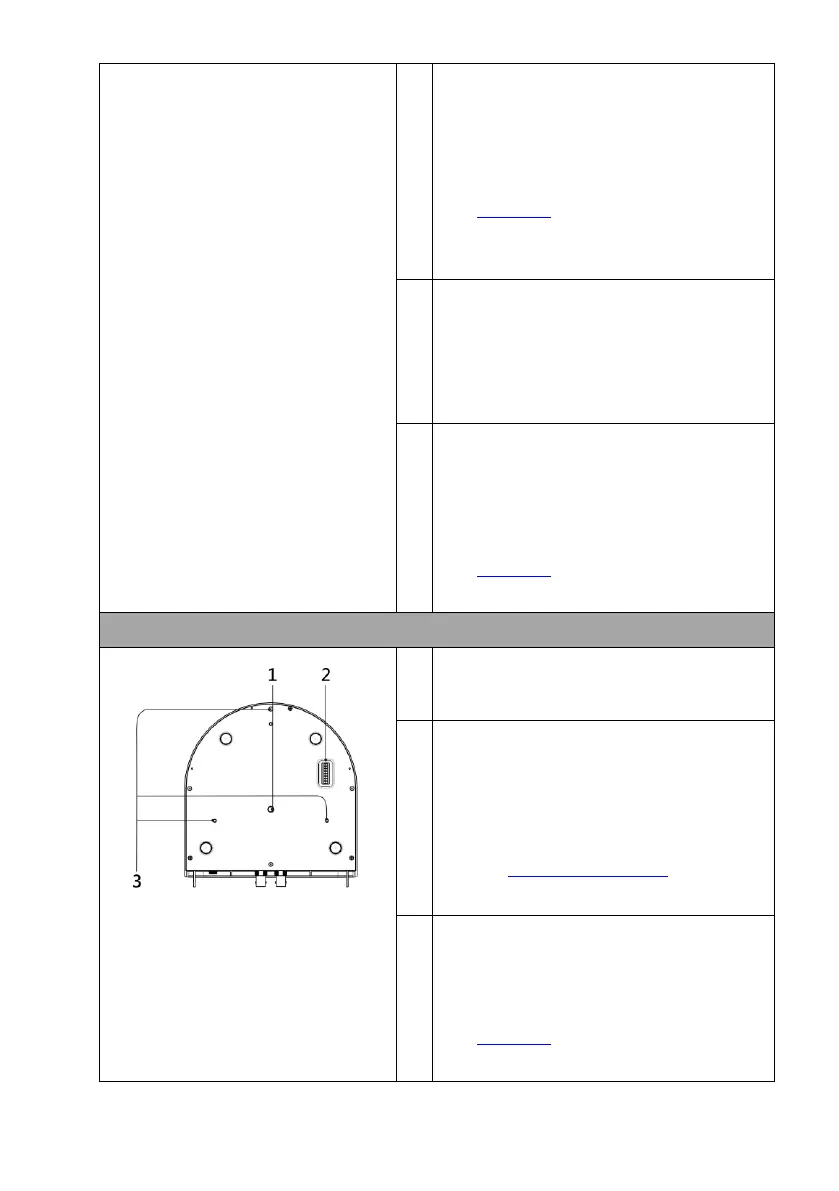
Tripod Screw Hole allows the user to
mount the camera on the tripod.
DIP Switch SW1
Camera settings include VISCA ID,
Remote Control Protocol, Resolution
and Video Mode Selection Method.
See the DIP Switch Settings section for
details.
Screw Hole
Screw holes for ceiling bracket
mounting.
See Section 6 for installation
instructions.


 To Next Page