10.4 Adjusting of the knife crown
Only qualified employees can adjust the knife crown. Other persons have to keep some
distance.
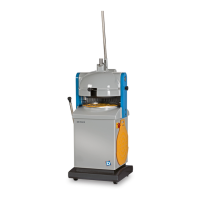
First of all remove the covers and the pressing ring.
Put a rounding plate upside down on the rounding table and then put three sheets of paper as big as
the rounding plate on it.
Release the knife release spring (figure D1-20)
Press the press handle down so the knife will press the paper.
Keep the press handle all the time down
Loosen the two nuts per knife bolt (figure D1-44).
By gently knocking on the four knife bolts with a rubber hammer, you can pat the knife crown on the
paper.
You can lower the knife crown by adjusting the lower nuts on the knife bolts, and heighten it by
adjusting of the upper nuts.
Check if the paper moves freely under the knife crown by pulling the four corners of the paper.
If the paper moves freely, tighten the nuts.
Now you are ready, can turn back the handle and place the knife release spring and the covers again
Do not forget to put back the knife release spring again.


 To Next Page