11
Connecting to the Cortex by modem using DavLink 6
In order to connect to the Cortex 360 through the local USB port, DavLink 6 is
required. For the USB connection, Davicom’s USB driver is also required. It is
included on the installation CD or it can also be found on the Documents &
Downloads page in Software & Firmware. Once you have installed the USB driver,
please connect your computer to the Cortex’s front-panel USB port and then start
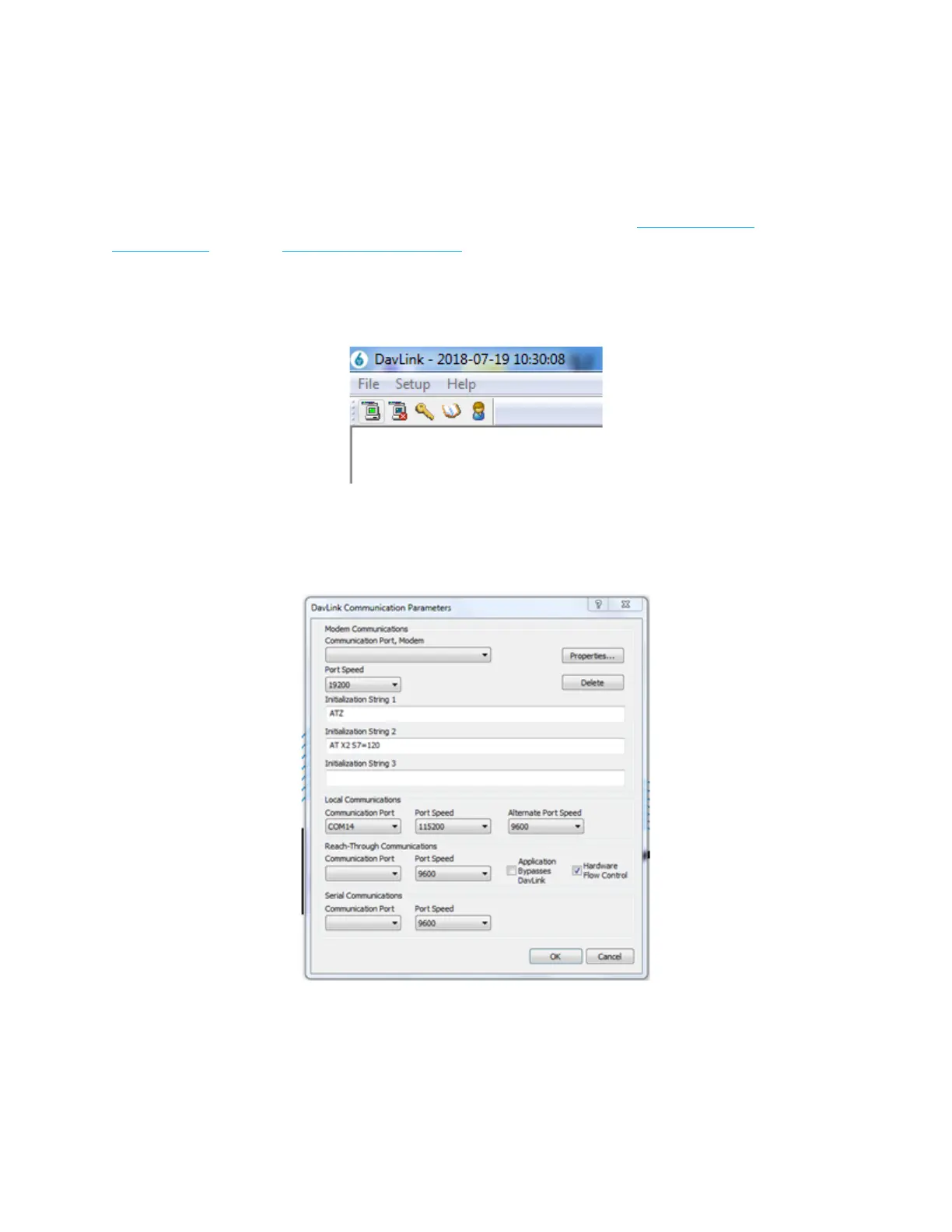
DavLink. Once started, DavLink will display its main screen. Go to the upper left of
this screen to see:
Select Setup-Communications and you will see the following screen, go to the Local
Communications section and select the Communication Port that corresponds to
the USB port where you have connected the Cortex (COM14 in this example).



 To Next Page