207
Controlling Physical Relays
How to control configured relays from the workspace.
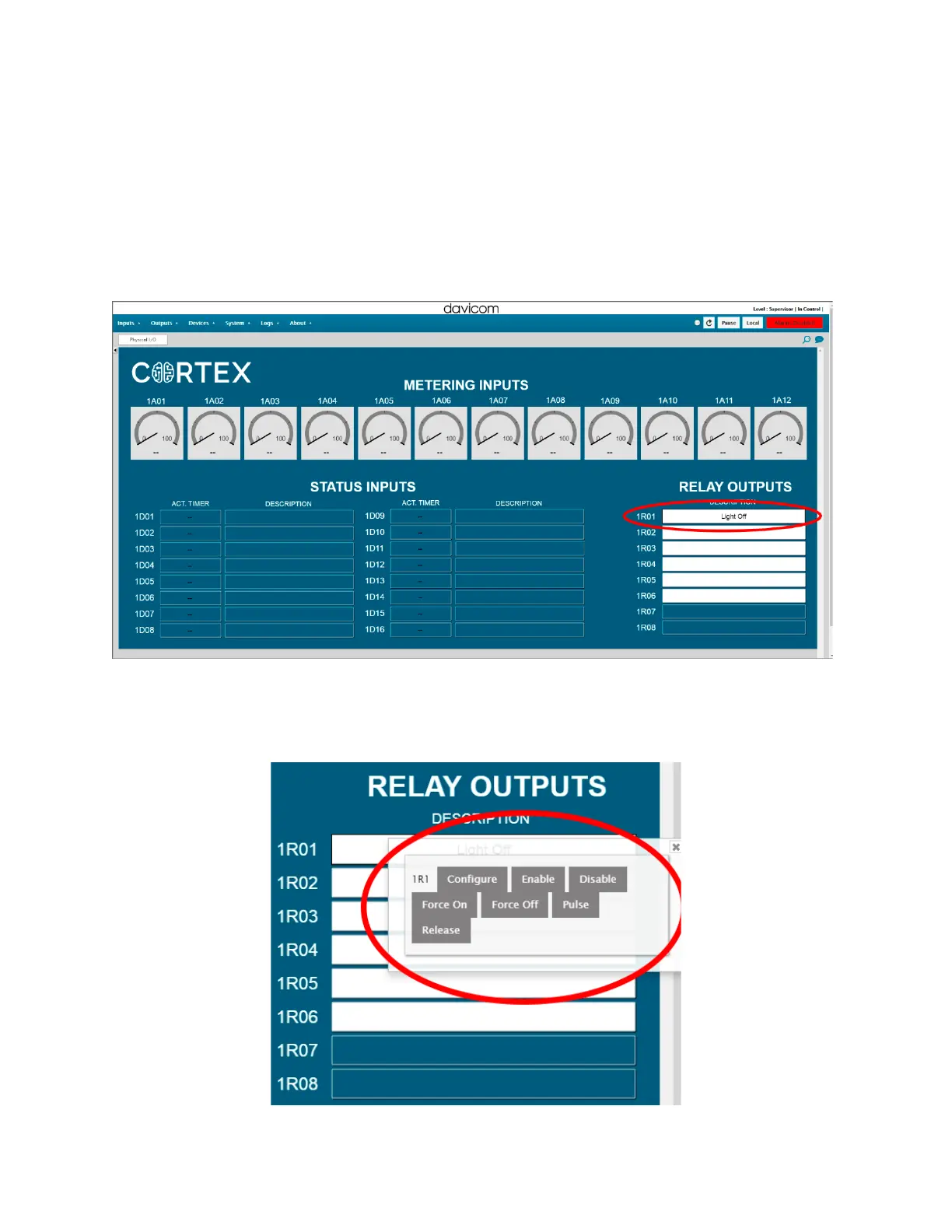
1. Relays are shown in the bottom right corner of the default main workspace. We
can see the relay we’ve just configured at the top.
2. Right-clicking on a relay shows you the quick-access menu. You can also configure
relays this way by clicking
Config.



 To Next Page