Alarm Mode
29
The time alarm is a standard “alarm clock” alarm. It sounds for one minute at the set
time. Make sure you choose AM or PM, if you’re in 12-hour mode.
UV Dose
The UV dose alarm sounds when the accumulated UV dose has exceeded the dose you
set. The UV dose alarm does not arm unless the initial UV dose for the day has been
reset. Once the UV dose alarm value is set, clear the accumulated UV dose. See “Clear-
ing Weather Variables” on page 26.
Setting Alarms
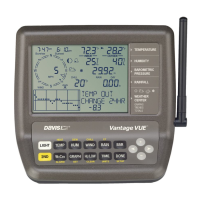
1. Press ALARM to enter the Alarm Mode to view or set the high alarm thresholds.
The screen displays the current high alarm thresholds. The ALARM and HIGHS
icons also appear.
2. Press the < and > keys to select one of the variables displayed on the screen or use
the console keys to select any weather variable. Also, press HI/LOW to display the
toggle between the high and low alarm threshold settings.
3. Press 2ND then press ALARM to activate the currently selected weather variable.
4. Press the < and > keys to select digits in the threshold value.
5. Press the + and - keys to change the digit’s value up and down.
6. Press DONE to finish changing the alarm setting.
7. Repeat steps 3 through 6 to change additional alarm settings.
8. Press DONE to exit Alarm Mode.



 To Next Page