DBL Technology EP-636 User Manual
4 Phone Menu
4.1 Phone Menu Operation
Press “MENU”, the screen will display the menu list page by page. Select any item you need by
pressing to select it and pressing “OK”. If you want to go back to the former screen, press
“ESC”.
4.2 Menu Content
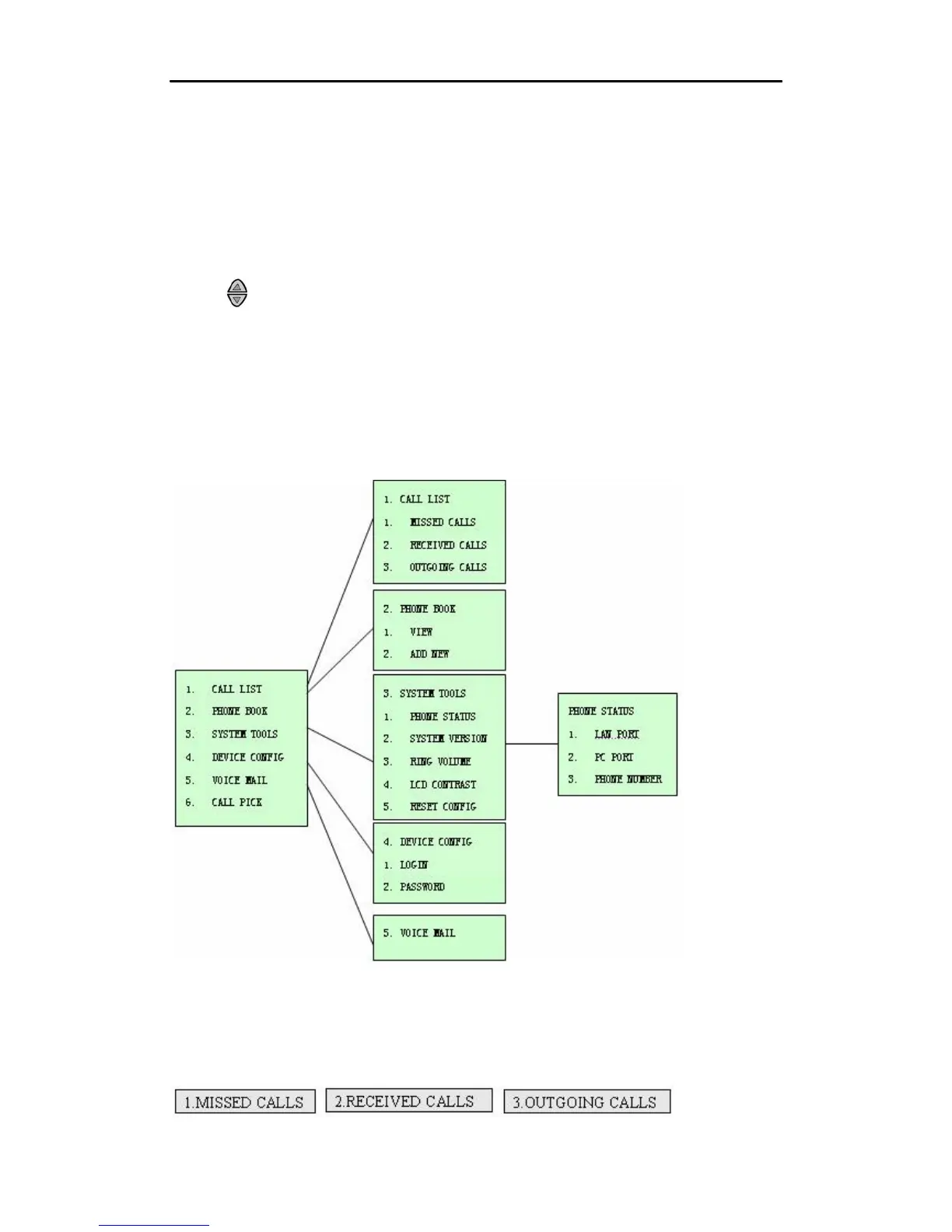
Note: each item of the menu contents is displayed page by page. The diagram below shows the
menu structure.
4.2.1 Call List
A. Press “MENU” and then “OK” to enter the “CALL LIST” menu shown as below.
•
17



 To Next Page