DBL Technology EP-636 User Manual
4.2.3 System Tools
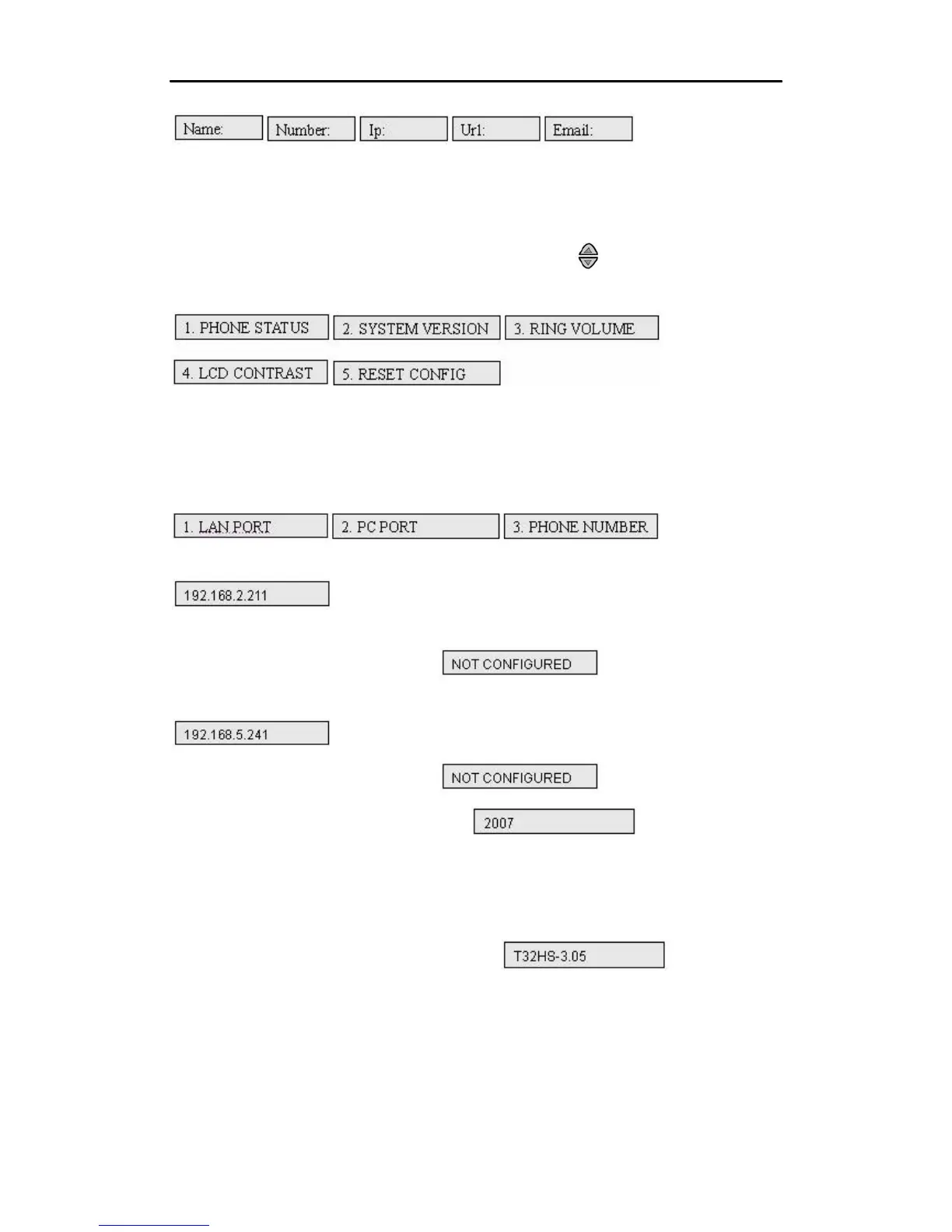
Press “MENU” and then select “3. SYSTEM TOOLS” by using and pressing “OK”. And you
will see the following items.
4.2.3.1 Phone Status
Select “1” to enter the “PHONE STATUS” menu.
1)Select “1” to view the LAN port IP address. If it is configured, the LCD will display
.
If it is not configured, the LCD will display
2)Select “2” to view the PC port IP address. If it is configured, the LCD will display
If it is not configured, the LCD will display
3)Select “3” to view the phone number such as
4.2.3.2 SYSTEM VERSION
Select “2” to see the “SYSTEM VERSION” such as
4.2.3.3 RING VOLUME
.
.
Select “3” to see the “RING VOLUME” menu. There are four levels to adjust.
•
19



 To Next Page