EasyManua.ls Logo

DBPOWER RD-821 - Page 24

DBPOWER RD-821
32 pages
Print Icon
To Next Page IconTo Next Page
To Previous Page IconTo Previous Page
Loading...
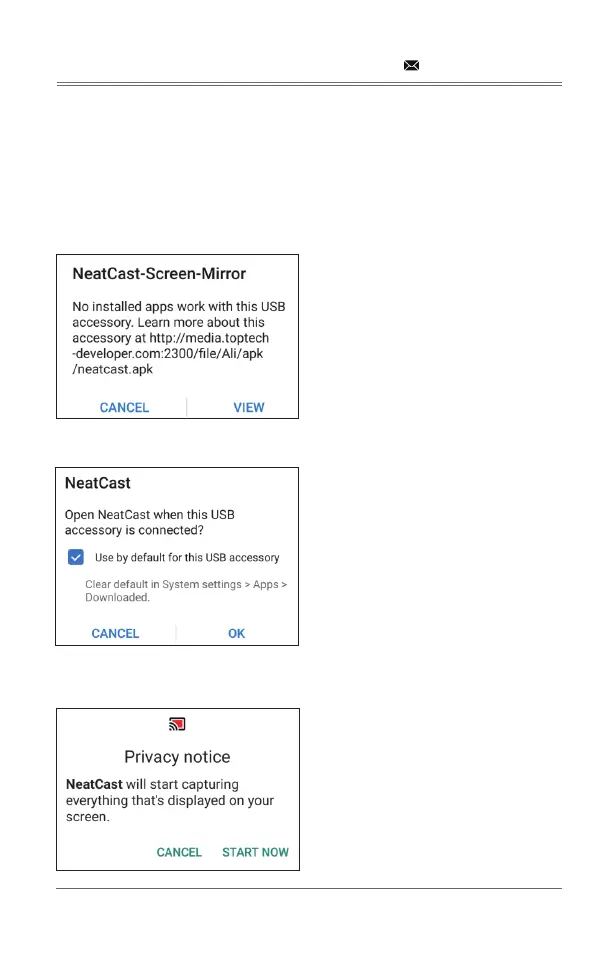
7.1.2 Method 2: Wired Connection
Step 1: Select Android Screen in the Syncscreen interface
Step 2: 
Step 3: 

Step 4: 
Step 5: window
to start the screen mirroring.

support@dbpowershop.com

Related product manuals