EasyManua.ls Logo

DBPOWER RD-821 - WIFI Connection

DBPOWER RD-821
32 pages
Print Icon
To Next Page IconTo Next Page
To Previous Page IconTo Previous Page
Loading...
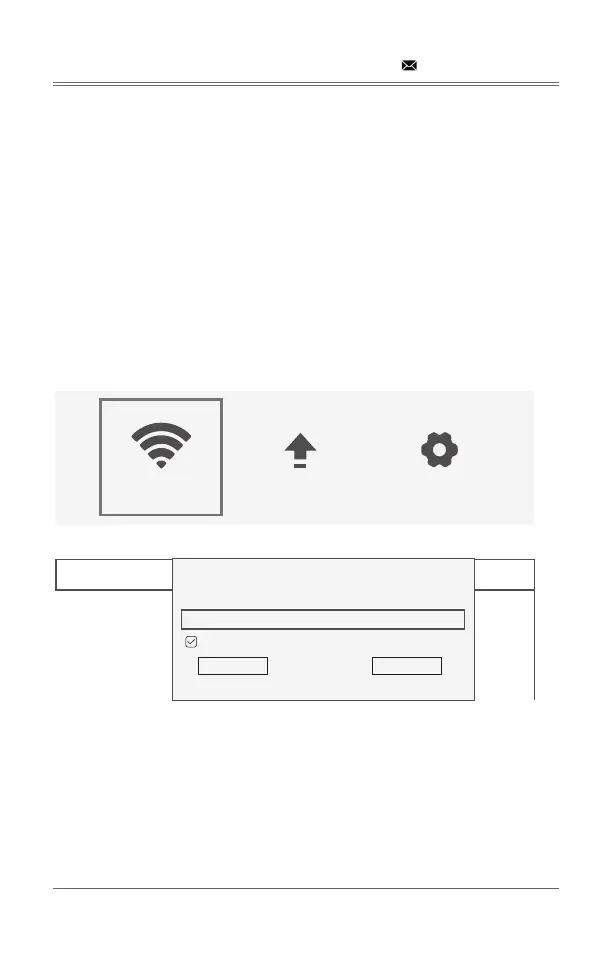
WIFI CONNECTION
Step 1: 
Step 2: 
Step 3: Enter the correct password through the virtual keyboard.

Disconnect: 

Forget: 

Cancel: 

support@dbpowershop.com
WIFI System Upgrade More Setting
1
2
3
4
5
NETGEAR-0045H1
MIDVPN2.4G
DIRECT-Fb-AS-Q3
UCDOS_EXT
NETGEAR-040G3K
$WPA2
$WPA2
$WPA2
$WPA2
$WPA2
NETGEAR-0045
Display Password
Connect Cancel

Related product manuals