EasyManua.ls Logo

DBPOWER RD-821 - More Setting

DBPOWER RD-821
32 pages
Print Icon
To Next Page IconTo Next Page
To Previous Page IconTo Previous Page
Loading...
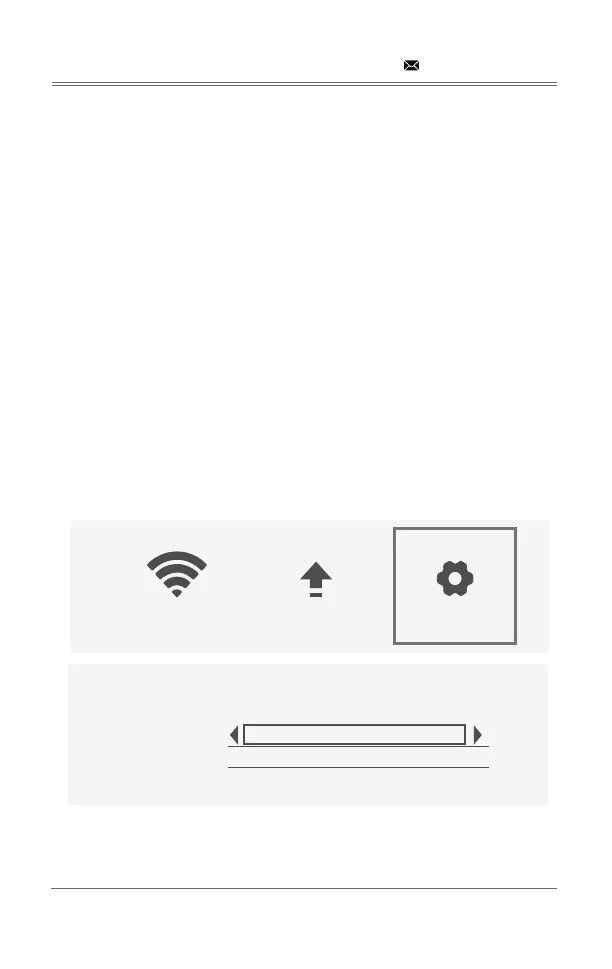
MORE SETTING
Step 1: 
Step 2: Choose the setting you want.
System Reset:
Click Yes No
Mirror Mode: 
1)Smooth Mode: 
the video to ensure smooth pictures during playback.
2)Standard Mode: Reduces the cache and delay of the mirroring.
3)Quick Mode: 
the mirroring will be lower to ensure smooth playback and reduce delay.
Airplay Mode: 
you can set other channels to avoid the jam and delay.

support@dbpowershop.com
System Reset
Mirror mode
Airplay mode
Language
Smooth
6
English
WIFI System Upgrade More Setting

Related product manuals