32
Section 5
Under normal operation the most common modes are Configuration, Edit, Store and Recall Preset. The
simplest way to illustrate these modes in use is by example; this will be done for both the Front Panel
Navigation as well as the GUI.
In our example we’ll create a Stereo Tri-Amped System with a Mono Sub, a mono send to Delayed House
speakers, and Side Fill sends.
The example begins with recalling a preset from the Preset Table:
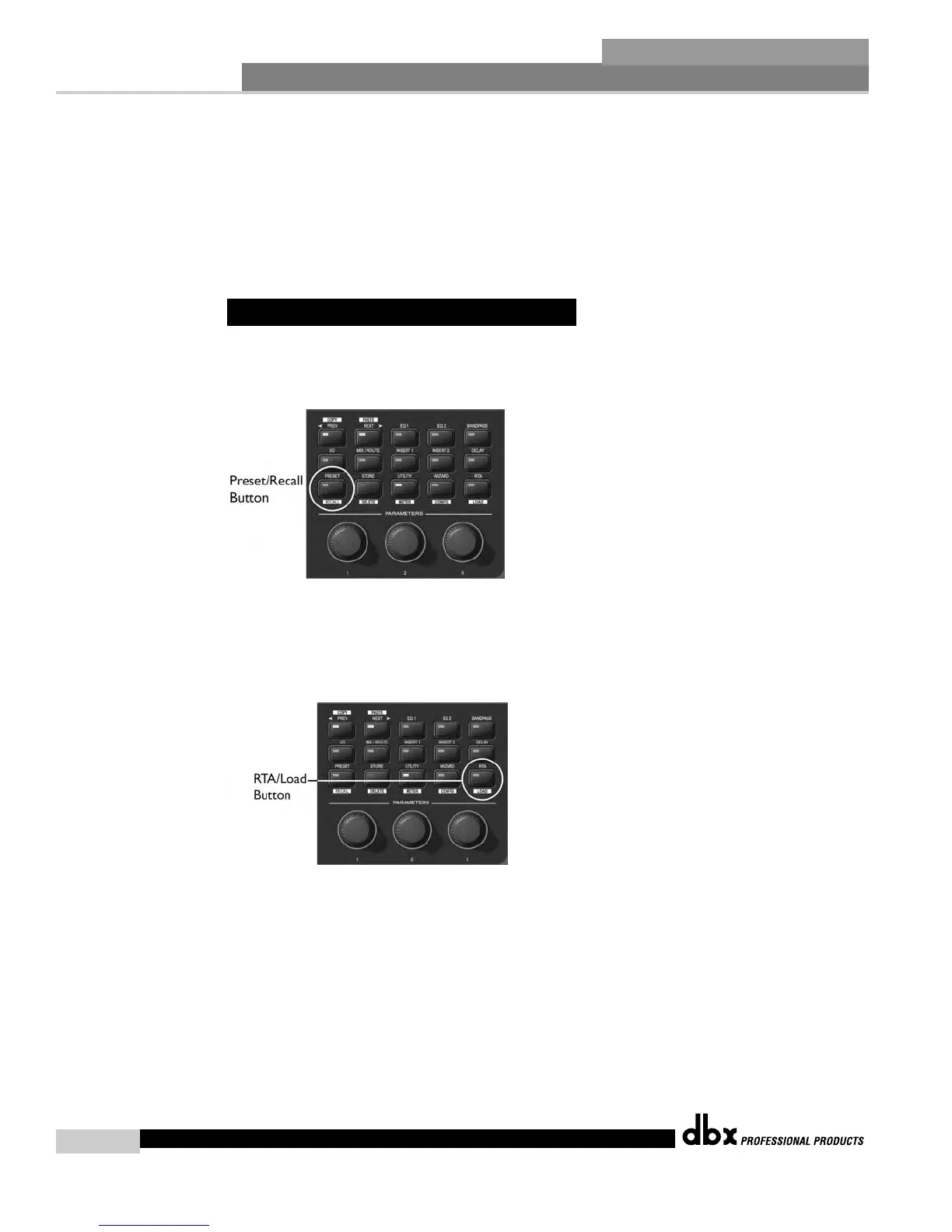
1. Press the PRESET/RECALL button to return to the main preset screen.
2. Press and hold the PRESET/RECALL button to enter Preset Recall mode.
3. Select Preset 8 Stereo 2-Way with Sub from the preset table by turning the Encoder #1 knob until Preset
8 appears on the display.
4. Press and hold the RTA/LOAD button to load the preset.
This 2x5 preset is a good starting point, but we want to make some modifications to it. We want to link
the Input Graphic EQs and change the Inserts on the main stereo feed from Notch Filters to Compressors.
We also want to rename the Inputs, put a Mixer in the Mid position, and lengthen the Delay that feeds
Output 6, our Delayed speaker send. To do all this we must make a Configuration change.
To make a Configuration change:
1. Since the preset was just recalled, we’re already in Edit Preset mode and can press and hold the
WIZARD/CONFIG button for two seconds to enter Configuration mode.
5.1 - Front Panel Operation
DriveRack
®
DriveRack
®
4800/4820 User Manual



 To Next Page