With three pages per Bandpass filter set, it should be noted that there will be nine total pages in this func-
tion; these pages can either be accessed by continuing to press NEXT PAGE or by pressing the next
OUTPUT CHANNEL button. Since in a 2x5 Bandpass the first two and the next two outputs are “linked”
together, both outputs 1 and 2 will be controlled together in the first three pages of the Bandpass. Likewise,
outputs 3 and 4 will be linked together, and controlled in pages 4 through 6. Output 5 is the mono
summed output designed to be the Subwoofer output, and it is controlled on pages 7 through 9.
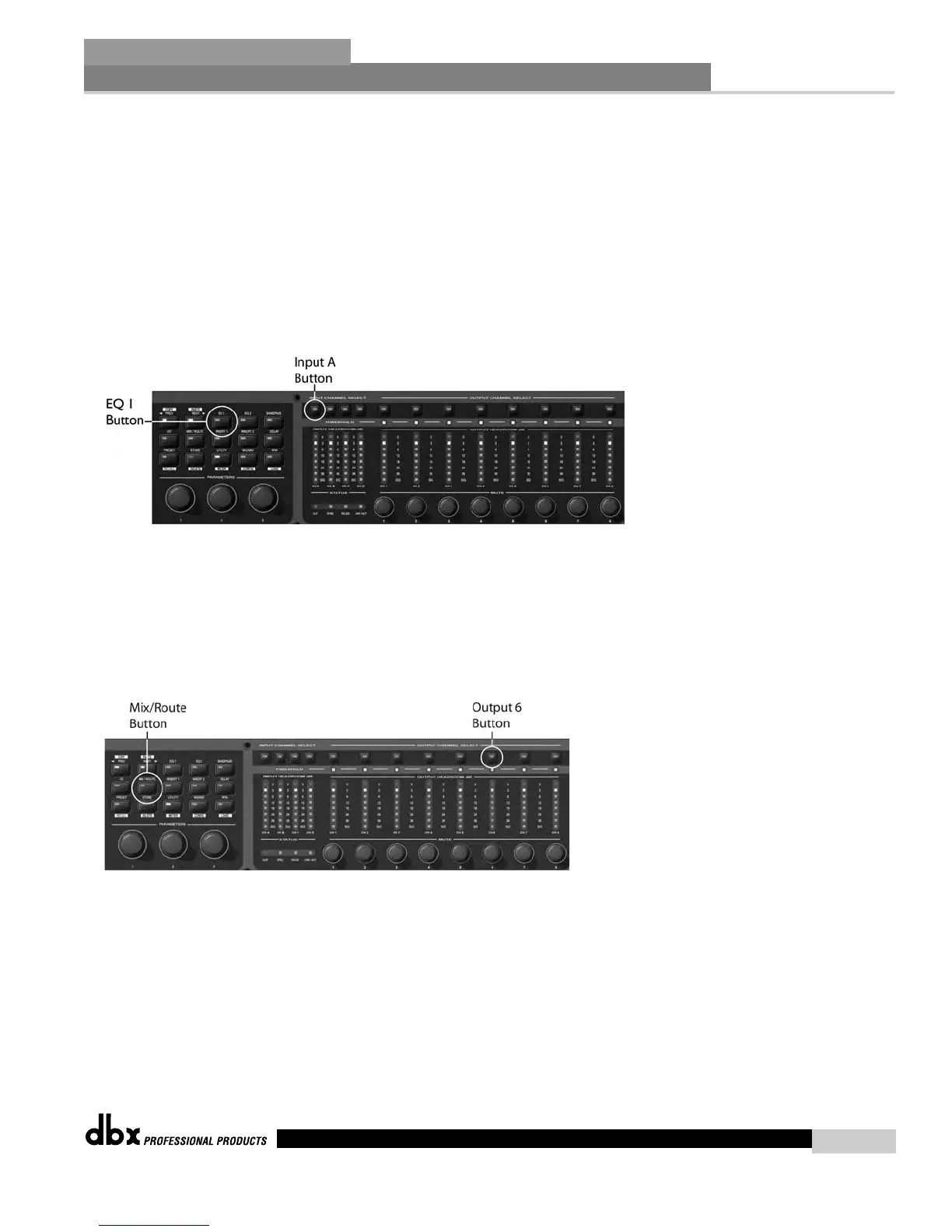
4. Navigate to the linked Graphic EQ module on Inputs 1 and 2 by pressing the INPUT CHANNEL A
button and the EQ 1 button.
5. Edit the Graphic EQ parameters using the NEXT and PREV buttons to move between the pages. Once
again, Input Channels A and B are linked so adjusting one actually adjusts them both.
6. Since the we’re already in the Input Channel A Graphic EQ, moving to the Stereo linked Compressor on
these same channels requires just a single button press on the INSERT 2 button.
7. Use the NEXT and/or PREV PAGE buttons to navigate to the various desired parameters.
8. Press the OUTPUT CHANNEL 6 button and the MIX/ROUTE button to move to the Output Mixer
on Output 6.
9. Make the changes by finding the Input channels A and B and adjusting their relative amounts using the
Encoders.
10. Press the PRESET/RECALL button to return to the main preset screen.
In Use
Section 5
35
DriveRack
®
DriveRack
®
4800/4820 User Manual



 To Next Page