15
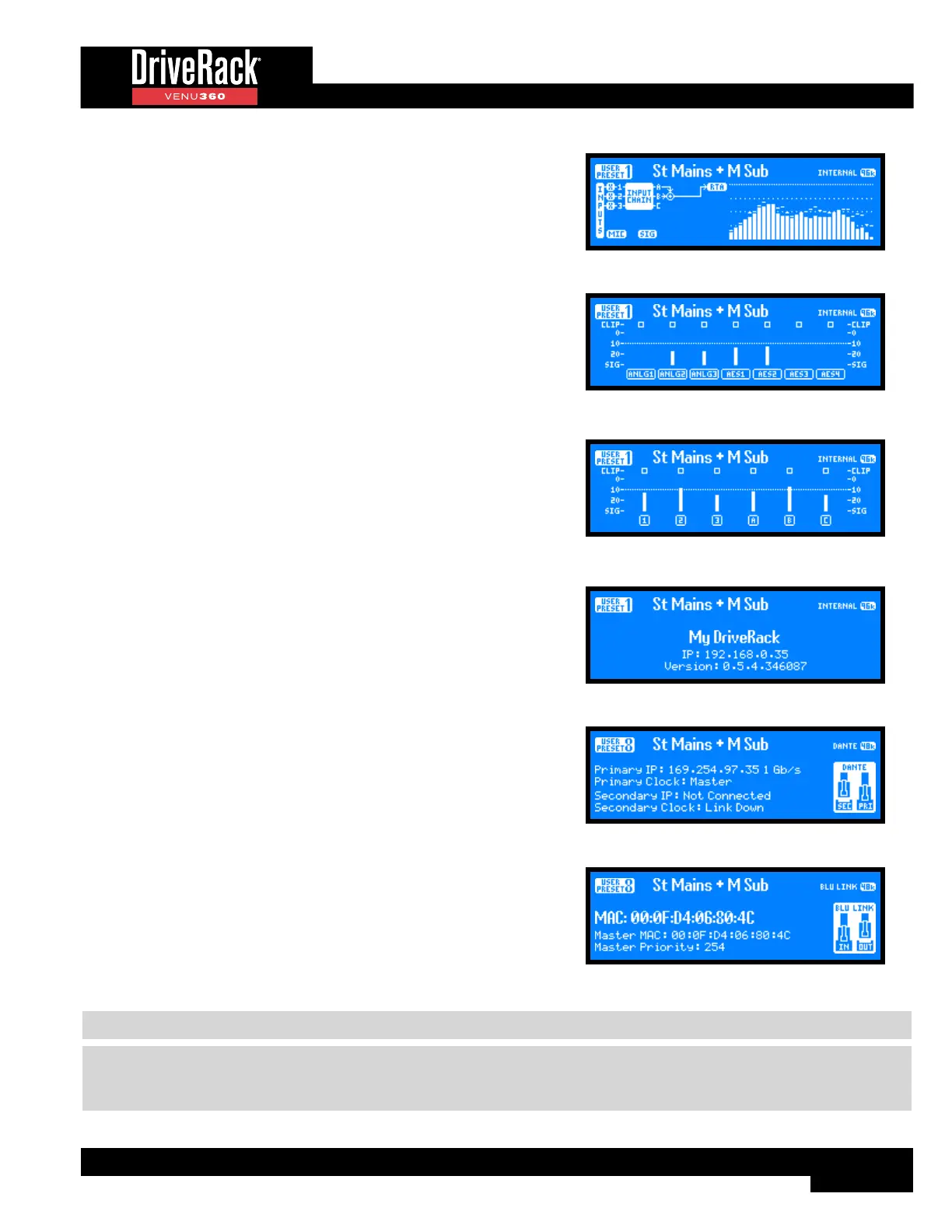
RTA Home Screen
This home screen provides quick access to the Real-Time Analyzer. The
graphic to the left of the RTA displays the signal source feeding the
RTA, which is set with the RTA SOURCE parameter in the RTA menu.
See ‘RTA’ on page 89 for more information on the RTA menu and
parameters.
RTA Home Screen
Input Meters Home Screen
This home screen displays the signal level and clip indicators for all
VENU360 inputs.
Input Meters Home Screen
Bus Meters Home Screen
This home screen displays metering for all bus points in the input signal
path (i.e., 1, 2, 3, A, B, and C). The 1/2/3 bus points are pre the input
signal processing chains. The A/B/C bus points are post the input
processing chains. See ‘Configuring Mixers/Routers’ on page
28 and ‘DSP Block Diagram’ on page 118 for more information
on these bus points.
Bus Meters Home Screen
System Info Home Screen
This home screen shows the name of the VENU360 device, currently
installed firmware version, and current IP status/address.
System Info Home Screen
Dante Info Home Screen
This home screen is available in the VENU360-D model and shows
Dante connection information at a glance. The port connection icons on
the right of the screen will show whether each Dante port is connected
or disconnected. Additional Dante information can be found in the Utility
menu, see ‘DANTE’ on page 93 for more information.
Dante Info Home Screen
BLU Link Info Home Screen
This home screen is available in the VENU360-B model and shows
BLU link connection information at a glance. The port connection icons
on the right of the screen will show whether each BLU link port is
connected, disconnected, or connected with an issue (an “X” will appear
in the connection icon if there is a connection issue). Additional BLU link
information can be found in the Utility menu, see ’BLU LINK’ on page
92 for more information.
BLU Link Info Home Screen
NOTE: After a power cycle, the VENU360 will return to the home screen selected before the unit was powered down.
NOTE: The HOME TIME OUT feature in the Utility menu will determine if the VENU360 will return to the home screen
after a period of inactivity and how long it will wait before timing out. See ‘HOME SCREEN TIME OUT’ on page 95
for further information on the HOME TIME OUT feature.



 To Next Page